
Getting Started
First Steps for Tenant Administrators
After signing up and receiving your Tenant Admin user details, these are the essential first steps required to initialize and configure your organization's workspace:
Populate the Employee Database
Compile and upload your active roster. You can download the pre-formatted Excel template, fill it with your team's details, and upload employees in bulk to seed your user directory instantly.
Add your Baseline Hazards — Risk Library
Configure your organization's threat posture. Seed the central Risk Library with baseline hazards and exposures specific to your industrial sector and geographic locations.
Create Checklist Form Templates
Deploy digital inspections. Use the Dynamic Form Builder or seeded template store to create the custom checksheets, safety logs, and audits for operators to submit in the field.
Setup User Roles & Access Controls
Define administrative boundaries. Configure your organizational Roles (such as Safety Rep, Manager, or Clerk) and customize granular access permissions (CRUD toggles) for each.
Invite your Operators & Staff
Onboard your personnel. Navigate to User Management to invite users to your tenant directory, assigning them their appropriate operational role for system access.
Module 1: Analytics Dashboard & Tenant Config
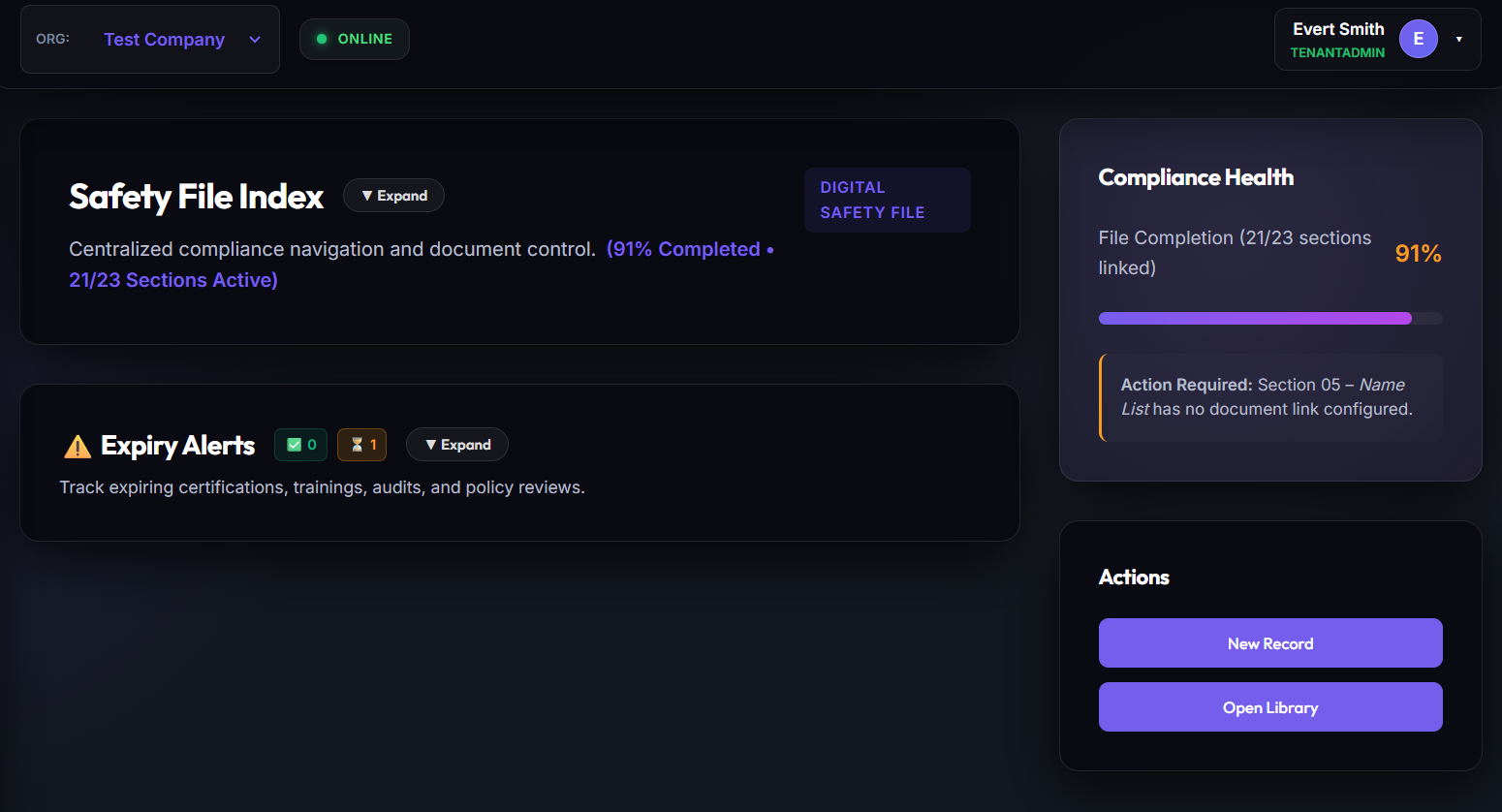
The Operational Dashboard is the primary landing area. It aggregates checklist completion statistics, critical risk tallies, active employee logs, and safety activity counts in real-time. This layout is fully responsive, resizing for desktop monitors down to mobile field-inspection devices.
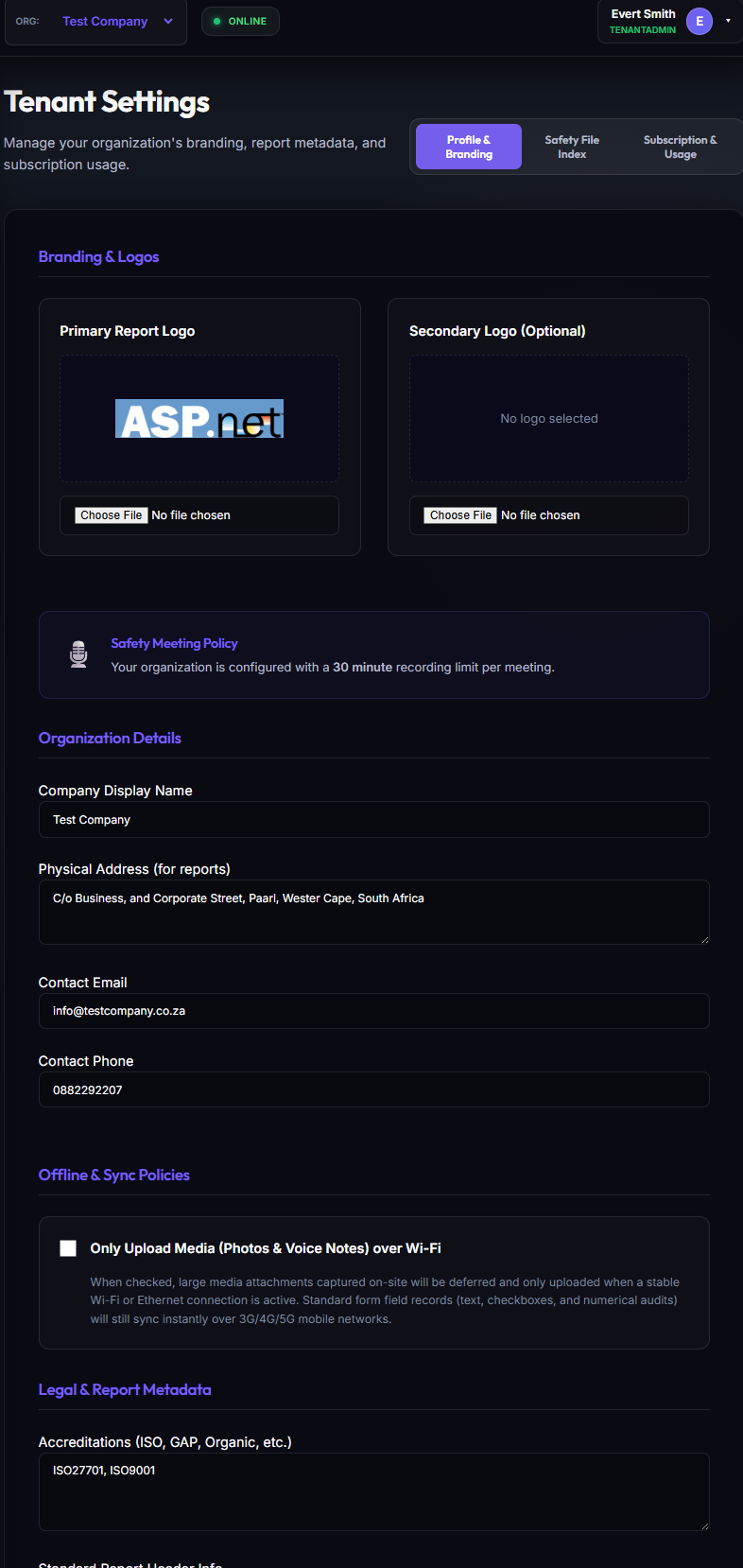
Tenant Workspace Configuration
From the Tenant Settings panel, Tenant Administrators can customize workspace metadata, configure business regions, choose currency configurations, choose industrial sectors, and link external document storage databases.
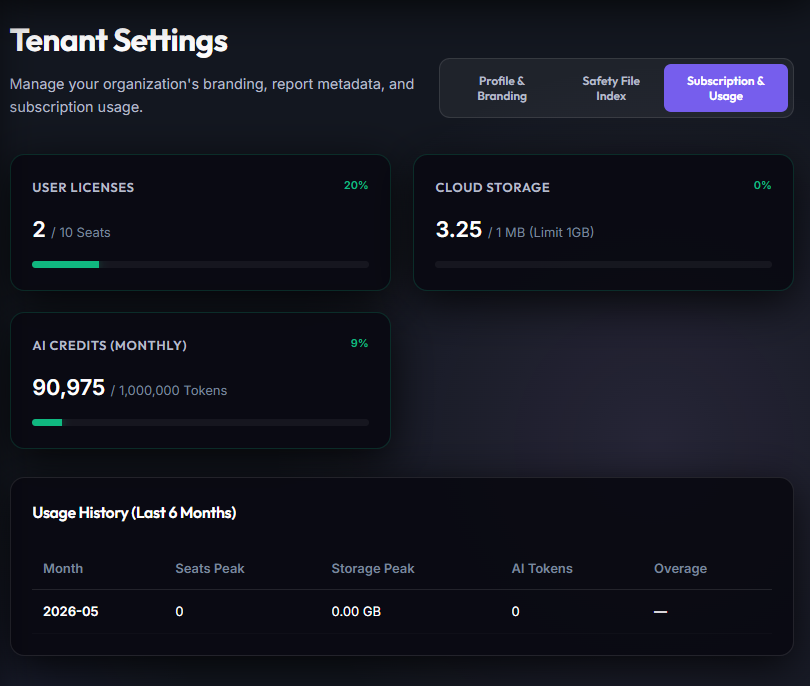
Platform Usage Metering
The SaaS Usage view provides absolute accountability regarding plan quotas, actively stored document bytes, data transactions, and active user limits.
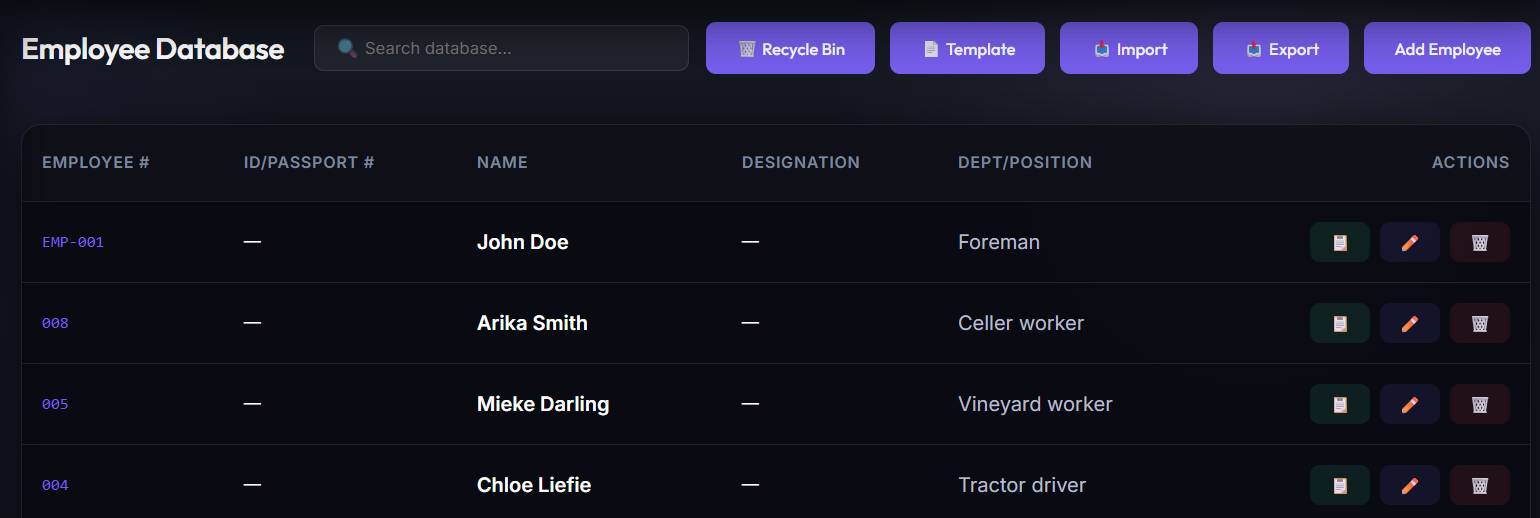
Module 2: Roster Management & Granular Access Control
OmniSafe references staff by unique Employee Numbers, which act as the relational backbone of the entire system. Roster records capture identity details, occupied departments, positions, employment statuses, and contact scopes.
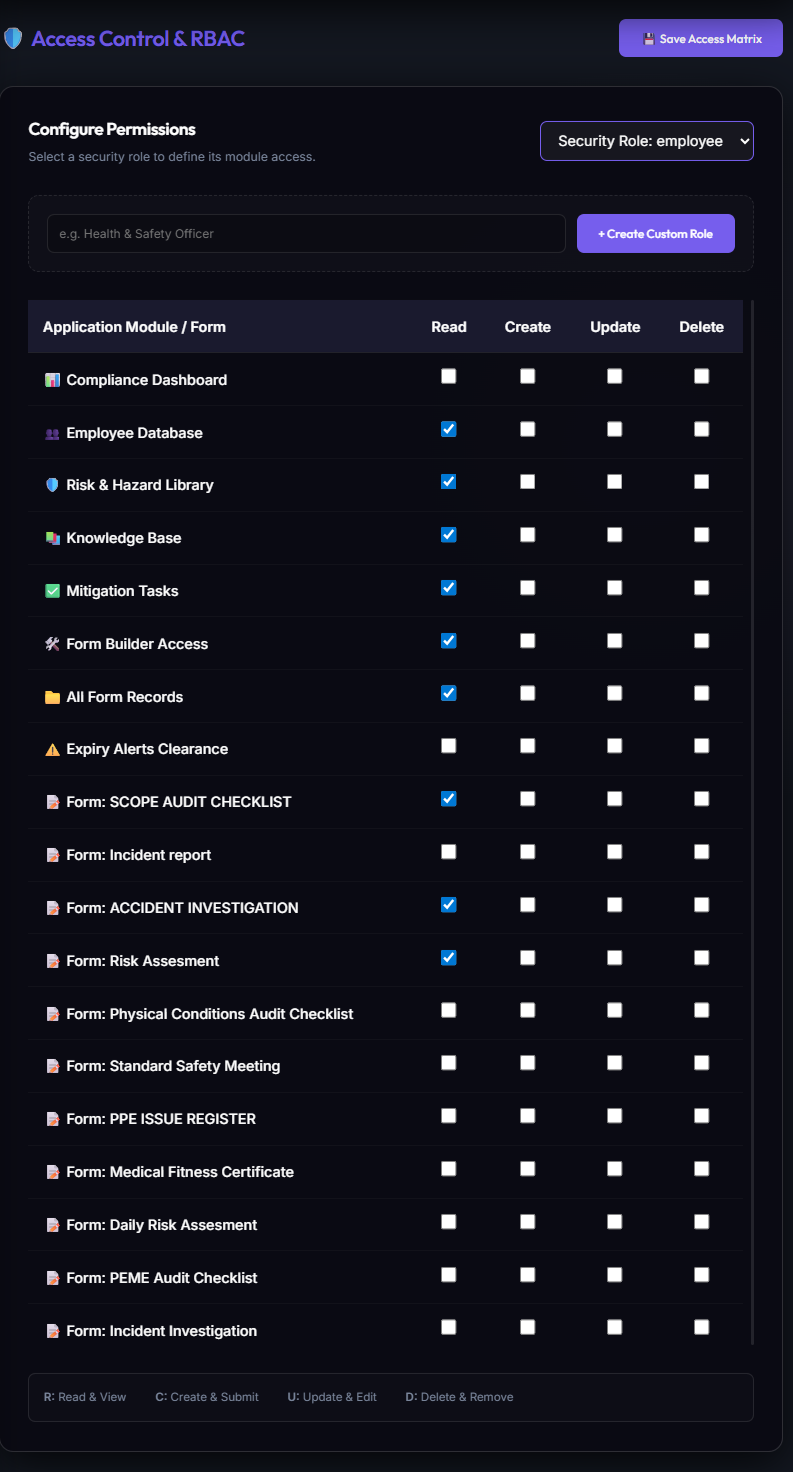
Granular Role Management
To safeguard sensitive data, Tenant Administrators configure custom Roles (Manager, Safety Rep, Clerk) and toggle individual **Create, Read, Update, Delete (CRUD)** permissions on a per-page, per-table basis.
Detailed Employee Profiles
Selecting an employee opens their primary dossier. This displays HR profiles, active contracts, safety training inductions, qualifications, and personal safety equipment records in a unified view.
Module 3: Living Safety Files & Statutory Compliance Vaults
The Living Safety File Manager digitizes the entire statutory safety file lifecycle, pre-architected around South Africa's Occupational Health and Safety Act (OHS Act 85 of 1993) and the Construction Regulations 2014. Instead of static ring-binders that gather dust on site, OmniSafe maintains an active, self-auditing compliance file structured across all 32 mandatory sections—including Section 37(2) Mandatory Agreements, Section 16(2) Legal Appointments, COIDA Letters of Good Standing, Medical Certificates of Fitness (Annexure 3), and Baseline HIRAs.
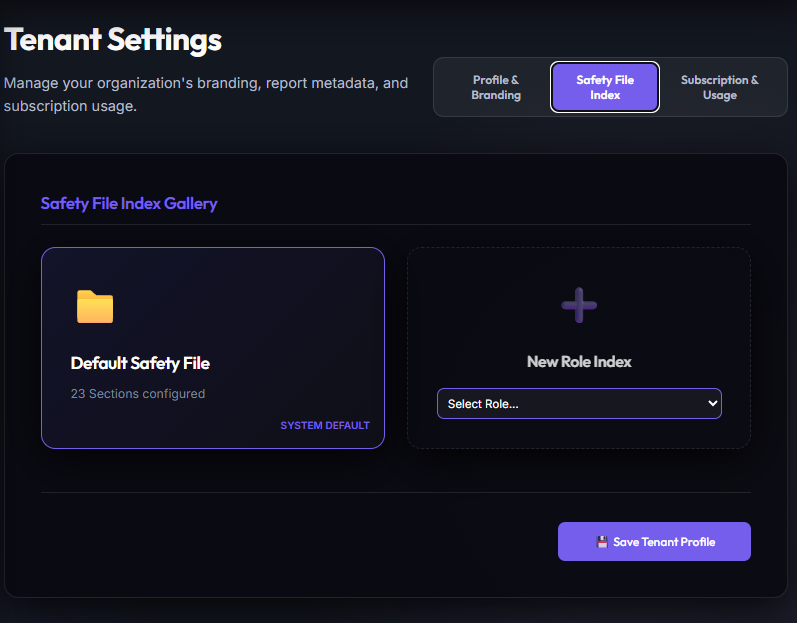
Defining Safety File Index Requirements & 32 Statutory Sections
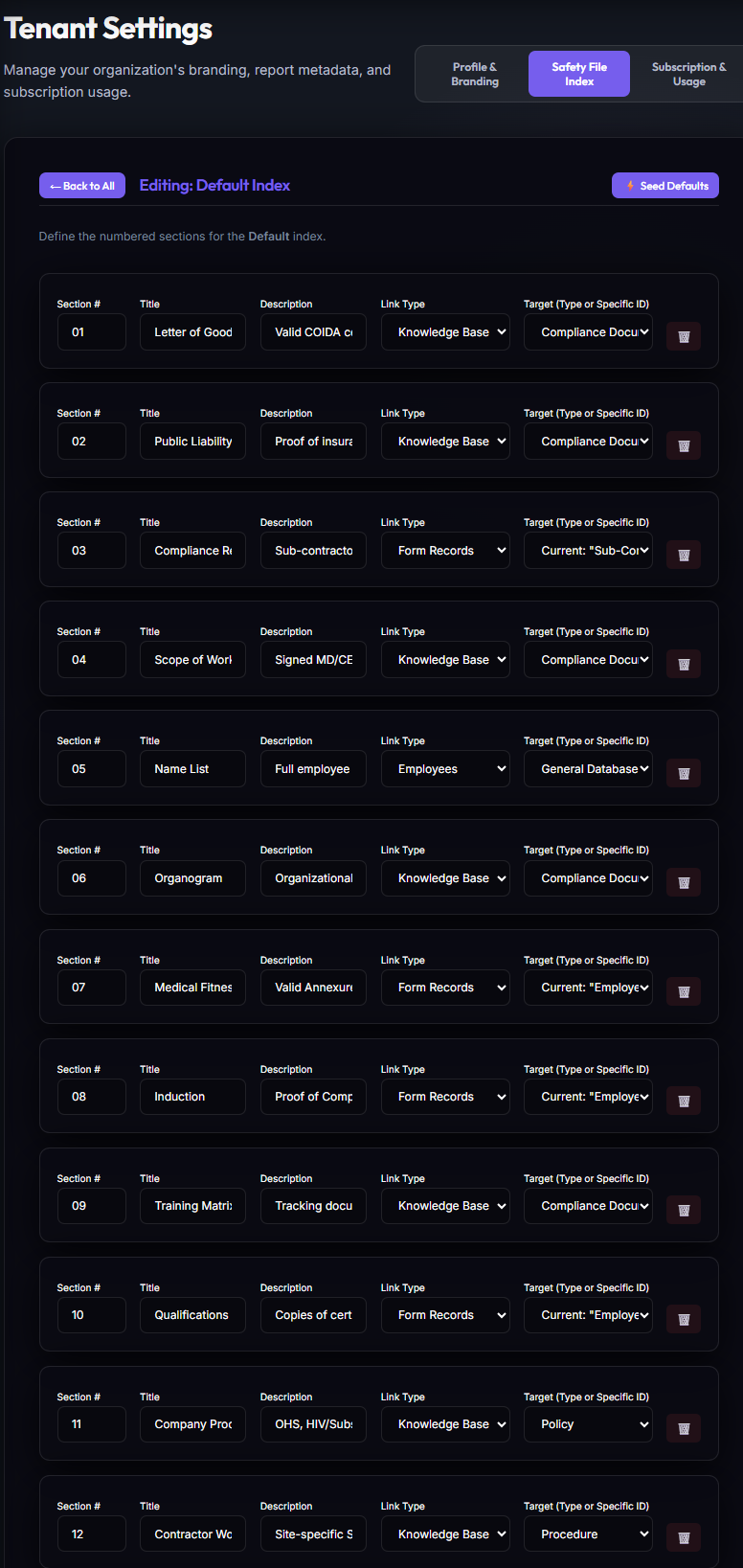
From Tenant Settings or the Safety File Manager, administrators configure required documents across the 32 statutory sections. Each slot defines renewal cadences, evidence types, employee bindings, and automated audit rules with real-time completeness percentage scoring.
Linking Index Items to Employees
Administrators can link a requirement directly to an employee record. Users can navigate from the Safety File index to specific vaults and inspect individual qualifications.
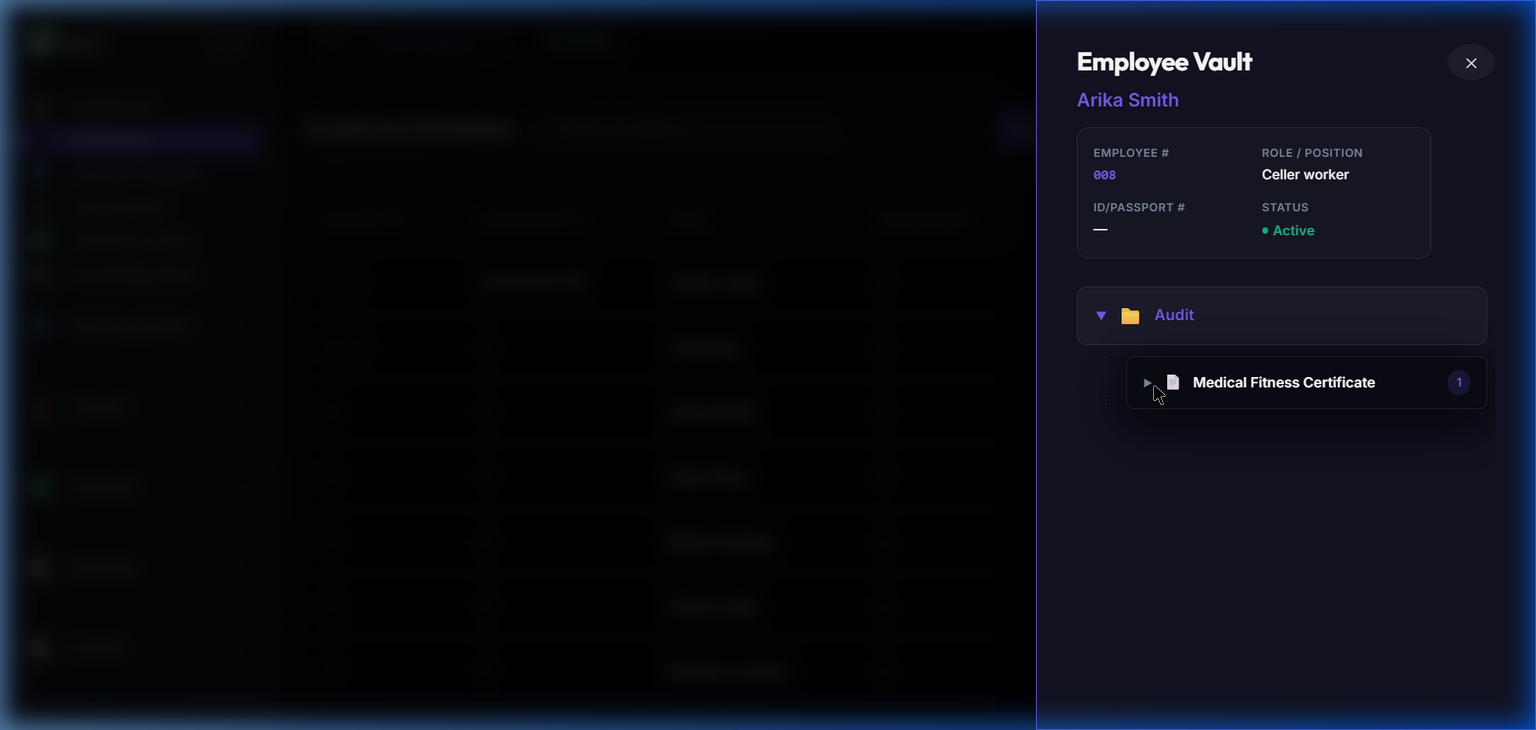
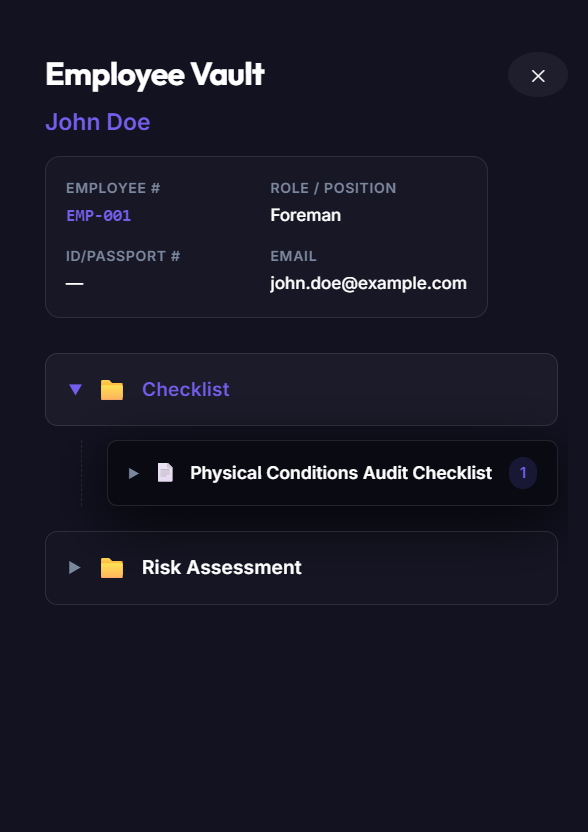
Employee Safety Vaults
Selecting an employee's index opens their personal storage vault. This lists all physical document evidence uploads alongside their validity dates.
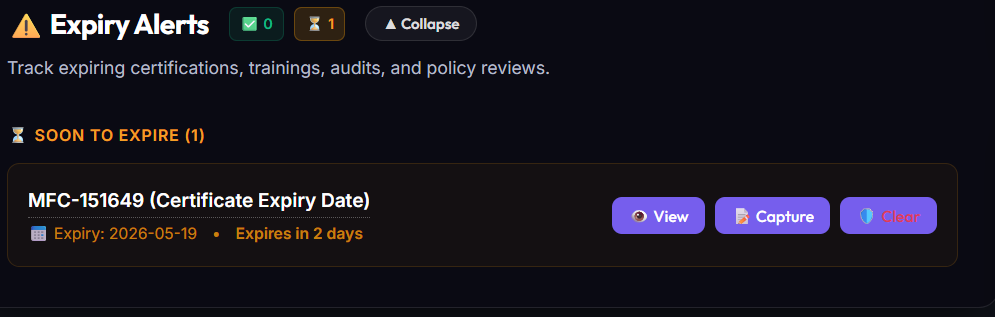
Expiry Alert Banners
When a document approaches its expiration date, the system triggers high-visibility warning banners across related managers dashboards, alerting them 30 days in advance.
Module 4: Risk Mitigation & Task Tracking
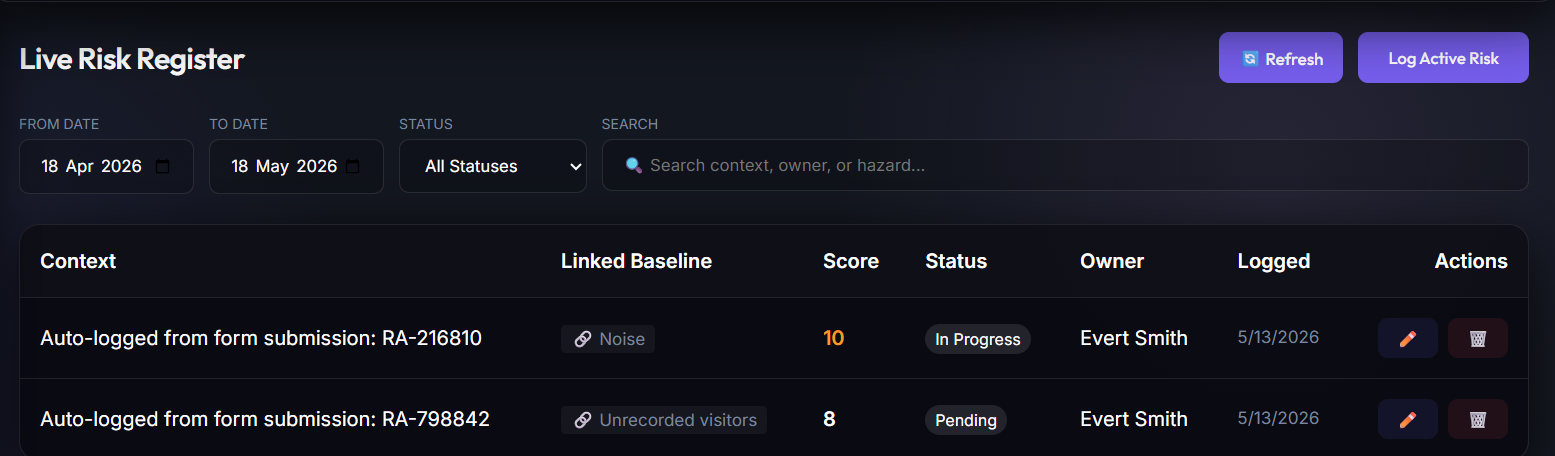
OmniSafe features a Live Risk Register. Rather than entering hazards as static text, inspections link safety occurrences to registered hazards. This gives administrators quantitative data regarding mitigation efficacy.
Live Risk Registry
Identified hazards are compiled in a central directory, mapping out exposure details, department allocations, inherent risk metrics, active controls, and review cycles.
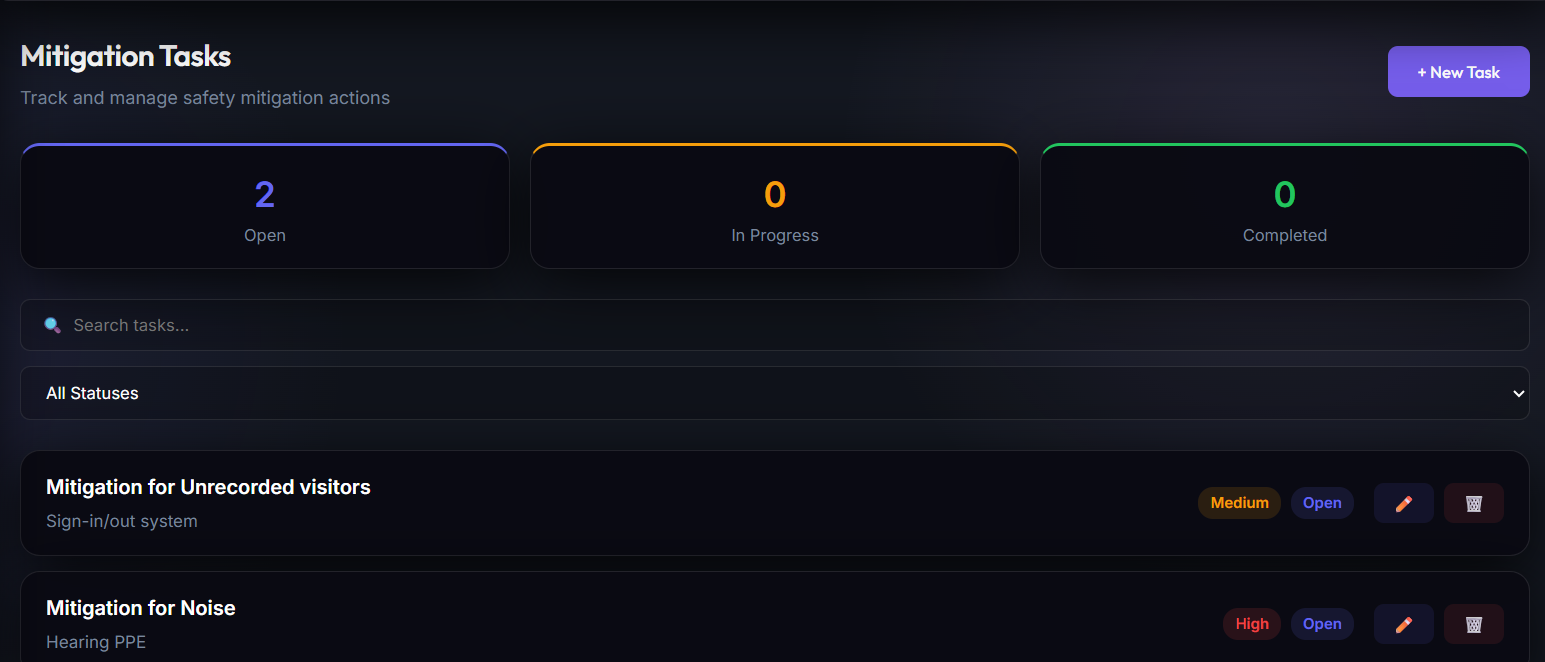
Corrective Task Assignments
When a hazard is logged during an assessment, safety reps assign immediate corrective tasks to site supervisors. Tasks display due dates, progress states, and action owners.
Module 5: Auditing & Site Inspections
Compliance audits (e.g., ISO 45001, GlobalG.A.P., SANS standards) are essential to verify that safety programs are functioning effectively. The Auditing & Site Inspections Module allows tenants to schedule safety walkthroughs, track assessor routes, calculate quantitative compliance scores, and automatically generate corrective action tasks (CAPAs) for failed checklist sections.
Audit Scheduling & Planner
Located at /pages/AuditScheduler.tsx, the scheduler allows safety officers and managers to plan recurring audit sweeps (Daily, Weekly, Monthly, or Annually). Parameters include: Target Site/Location, Assessor (Employee ID), Audit Template, and Due Date. Scheduled events display on the assessor's dashboard calendar.
Quantitative Compliance Calculations
Completed walkthrough records (AuditRecordView.tsx) calculate quantitative compliance scores automatically:
Compliance Score = (Passed Items / Total Applicable Items) * 100
Items marked "Not Applicable" are automatically excluded from the calculation, protecting assessors from skewed audits.
Walkthrough Execution & Signature Gating
Assessors complete OHS checklists on-site via mobile web or PWA. Each item accepts a Yes/No/NA answer, custom notes, and multiple photos. Audits require a digital signature from the site representative at the conclusion of the walkthrough.
Corrective Actions (CAPAs) Integration
When a critical compliance check is marked "Failed", the checklist engine automatically spawns a corresponding MitigationTask assigned to the site supervisor. These tasks remain linked to the historical Audit Record for full regulatory audit traceability.
Module 6: Quick Finding Recorder (AI-Powered)
The Quick Finding Recorder is a mobile-first, friction-reducing tool allowing field personnel to report safety observations on-the-go. Instead of typing long forms, workers simply record a brief audio memo and snap photos of the hazard.
Multimodal AI Ingestion Pipeline
When an observation is captured, the device compresses the images and audio (mono AAC/MP3) to minimize data usage. Once synced, a Cloud Function routes the media to the Gemini Multimodal API, which transcribes the audio, analyzes the images, matches findings to the Hazard Library, and determines hazard severity (Low to Critical).
Human-in-the-Loop Approval Inbox
Observation drafts are stored in the Form Records database under the "Safety Findings" template with a Pending Action status. QHSE Managers review drafts, edit details, approve tasks, and finalize records before they log as active action items.
quick-finding-recorder flag in Firestore's enabledModules array before displaying UI buttons or processing backend payloads.
Module 7: Omnichannel WhatsApp Hub Configuration & Data Flows
The WhatsApp Hub shifts regulatory compliance from passive document tracking to proactive field engagement. Given the South African landscape, this channel bypasses connectivity and hardware barriers by enabling workers to use cheap WhatsApp social bundles to interact with the app.
7.1 Conversational Field-to-Form Ingestion
Field personnel can execute mandatory OHS checks, log hazards, and submit photo evidence directly through conversational prompts. Data parsing layers extract text fields, process image attachments, and write SQL entries to the database automatically.
7.2 On-Demand OHS Guidance
Workers can query the system via WhatsApp text message commands to fetch safety instructions, standard operating procedures, or regulatory guidelines on-demand, getting instant answers without loading heavy pages.
7.3 Automated Campaign Scheduling (Toolbox Talks)
The automatedCampaignScheduler routine polls the database daily, selects the oldest inactive toolbox talk briefing from the library, and broadcasts it to the targeted workforce group, pushing safety topics directly to employee chat streams.
7.4 Task Management via WhatsApp
Supervisors receive automated WhatsApp alerts when tasks are assigned to them. They can view details, update progress states, upload completion photo evidence, and close out tasks straight through conversational messages.
Module 8: Cognitive AI Auditing & Training Systems Architecture
8.1 The 15-Layer Hybrid Compliance Router
OmniSafe maximizes verification throughput and responsiveness by routing tenant files across four specialized computational families:
- Deterministic Algorithmic Auditing (Instant Rule Engine): Validates database signatures, metadata boundaries, and structural index layouts with zero latency.
- Statistical & Temporal Sampling: Evaluates metrics by random selection models to track ongoing compliance patterns.
- Cognitive Multimodal Inspection: Streams files securely to Gemini 1.5 Flash to verify stamps, signatures, dates, and document authenticity.
- Cross-Referencing: Correlates active workforce profiles with qualification and medical fitness registries.
8.2 AI-Guided Adaptive Training & Fraud Prevention
Our training player represents the future of e-learning. It conducts interactive RAG safety check conversations grounded in corporate policies via WhatsApp or mobile chat. To eliminate compliance fraud, it enforces a strict Voice Authenticity Constraint: trainees must submit a spoken voice recording, which is verified and integrated into their certified Portfolio of Evidence (PoE) PDF.
Module 9: AI Form Builder, WYSIWYG Editor & Checklist Templates
The integrated Form Builder & AI Form Architect completely eliminates paper-based checklists. Safety managers can simply snap a photo of an existing paper form or upload a PDF—the multimodal AI vision engine instantly analyzes the structure, extracts fields and compliance checks, and generates a fully interactive, mobile-ready digital checklist in seconds. Forms support deep field-validation rules, conditional visibility, mandatory GPS location, photo evidence, and Magic Sign™ for remote cryptographic sign-offs without requiring an app account.
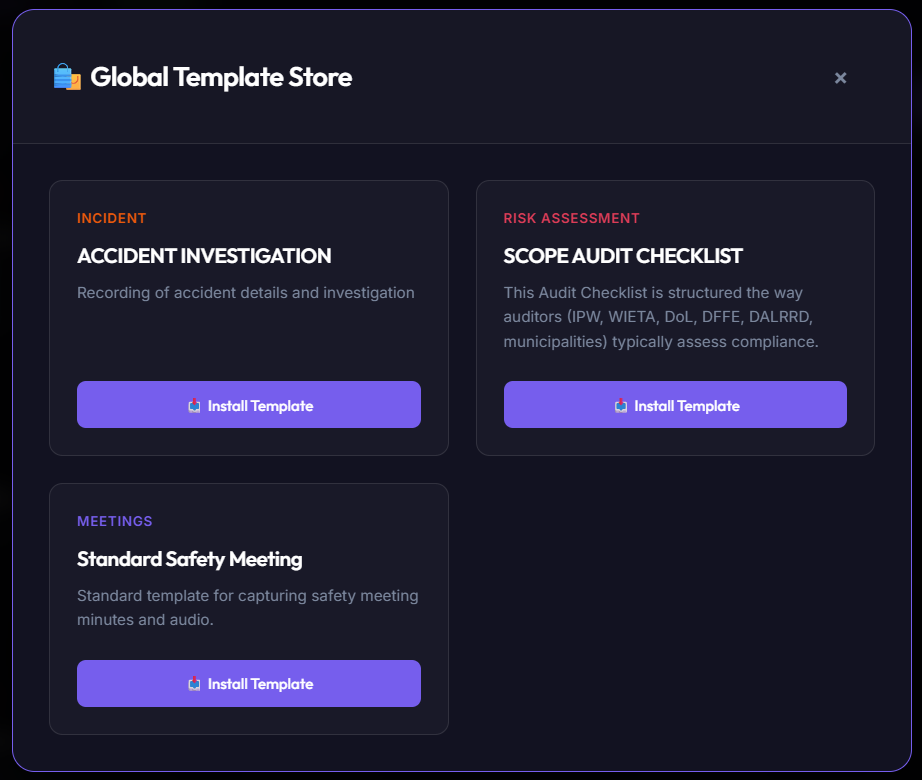
Seeded Templates Store
The Template Store provides a library of pre-configured regulatory checksheets (OHS inspections, forklift pre-uses, incident statements) ready to import into the tenant workspace.
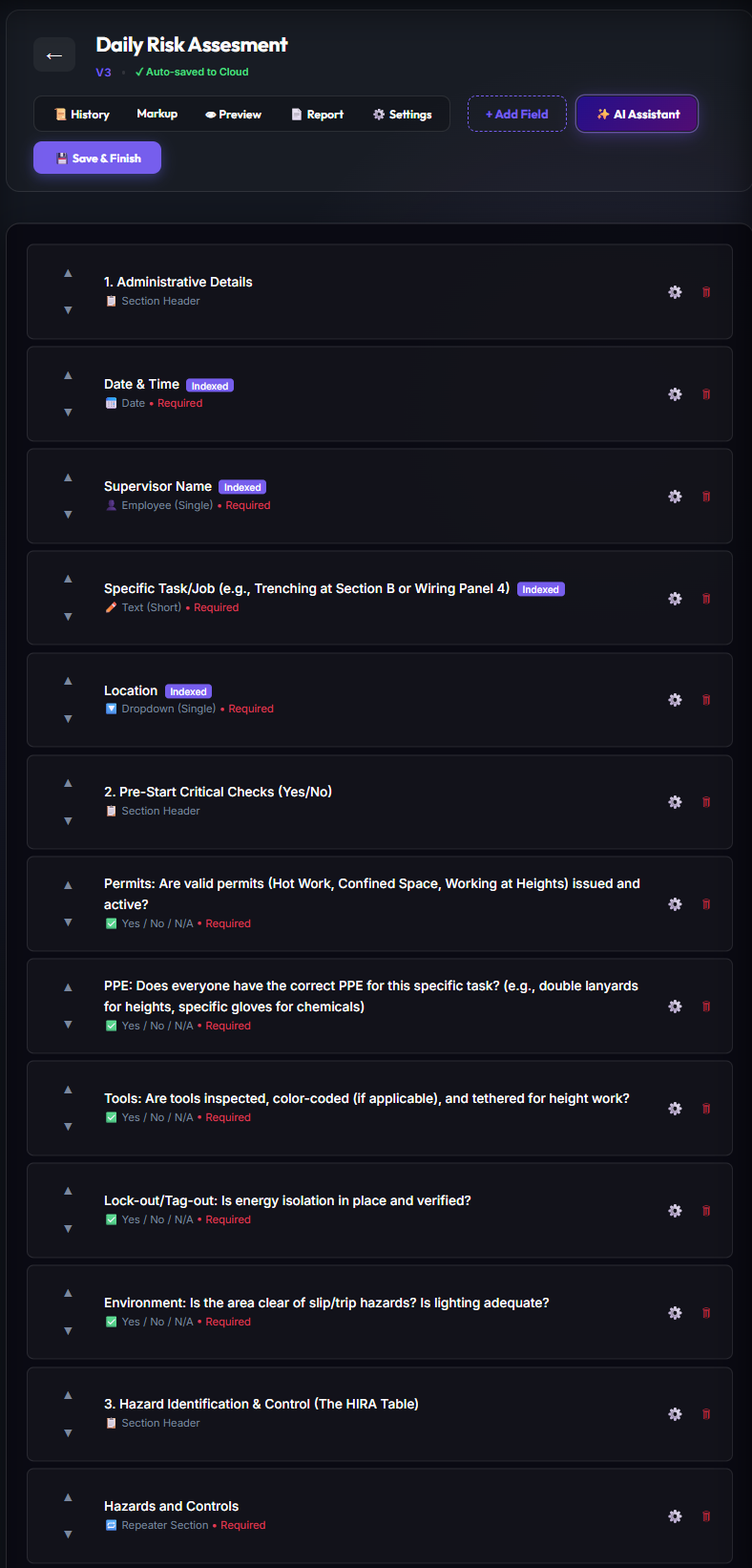
Custom Form Builder Design Workspace
The drag-and-drop workspace allows administrators to design form fields, place layout spacers, establish logical branching rules, and customize submission actions.
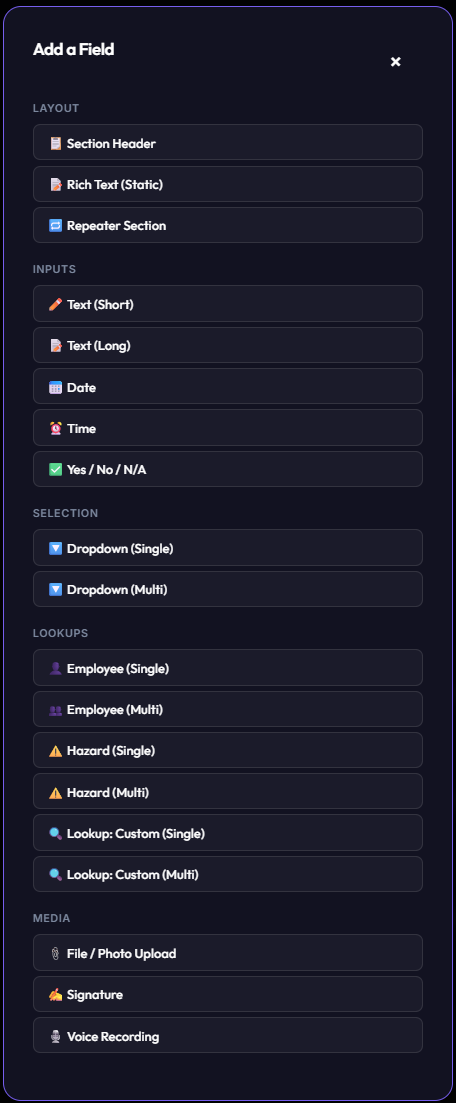
Rich Input Fields Library
A dynamic form supports diverse input types: numbers with validation limits, checkboxes, signatures, custom lookup selectors, and audio-recording summarizes.
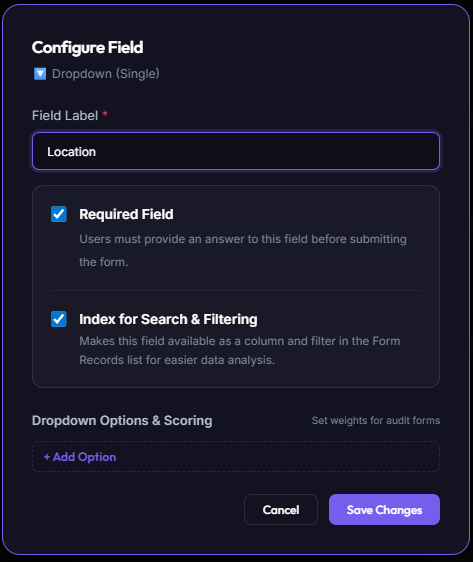
Advanced Option Lists Configurations
Dropdown elements can load directly from dynamic tenant Option Sets, linking checklist selections to live database registers.
Detailed Controls Directory & Configuration Matrix
The WYSIWYG Form Builder exposes a rich catalog of input fields. Each control supports advanced configuration options and compliance scoring parameters to enforce absolute audit compliance.
| Control Type | Primary Use Cases | Advanced Configuration Options | Scoring & Compliance Weight |
|---|---|---|---|
| Layout Elements | |||
| Section Header | Organizes complex forms into distinct structural steps, sections, or categories. | Custom header typography styles, collapsibility settings, descriptive optional subtext. |
Neutral
Structure only; has no scoring weight.
|
| Rich Text (Static) | Displays inline operating instructions, terms and conditions, safety rules, or legal warnings. | Full Markdown and rich HTML rendering, text alignments, embedding static hyperlinked resources. |
Neutral
Static read-only context block.
|
| Repeater Section | Sub-tables or looped inputs (e.g. logging crew member details or multiple equipment checklist statuses). | Dynamic row generation (add/remove items), strict minimum and maximum loop limits, child field nesting permissions. |
Neutral *
Propagates compliance scoring of nested child controls.
|
| Inputs | |||
| Text (Short) | Serials, license numbers, tags, or quick employee names. | Regex validation patterns (e.g. custom permit formatting constraints), character length boundaries, placeholders. |
Neutral
Holds raw alphanumeric text data.
|
| Text (Long) | Narrative summaries of occurrences, detail investigations, and corrective justifications. | Paragraph spacing settings, minimal length boundaries, and text auto-expand heights. |
Neutral
Holds qualitative context summaries.
|
| Date | Safety induction dates, validity certificates, incident calendar logging. | Restricted date limits (past only / future only / specific ranges), timezone stamps, preset default dates. |
Neutral
Tracks compliance and expiry calendar timelines.
|
| Time | Checking shift times, logging emergency events, or equipment checklist tracking. | Time limits (e.g. within operational window), 12/24 hour display modes, current time prefill defaults. |
Neutral
Tracks chronological sequence order.
|
| Yes / No / N/A | Binary checklist inspections (e.g. "Is the backup generator clear?"). | Pass/Fail score mapping, child fields conditional triggers (e.g. require photo ONLY if "No" is ticked), custom failures alerts. |
High / Critical
Drives overall compliance scores; "No" can trigger immediate warning states.
|
| Selection | |||
| Dropdown (Single) | Choosing one value out of a static option catalog list (e.g. Farm Blocks, departments, shifts). | Static list seeding, dynamically loaded backend Option Sets, preset options mapping, conditional layout rules. |
Medium
Can allocate distinct compliance values to specific selection options.
|
| Dropdown (Multi) | Selecting all applied options (e.g. indicating which safety gears were verified on team roster). | Multi-select parameter bounds (e.g. select at least 2), dynamic option arrays, and tokenized badges display. |
Medium
Aggregates items checked; score can change with quantity selected.
|
| Lookups | |||
| Employee (Single) & (Multi) | Assigning single incident owners or identifying multiple crew attendees at a safety toolbox meet. | Filters by operational status, specific department exclusions, dynamic user profiles popup links. |
Neutral
Establishes secure, linked HR roster isolation records.
|
| Hazard (Single) & (Multi) | Linking checklist safety violations directly to one or more baseline organizational Risk Library hazards. | Filters by risk levels (Critical only), department risk indexes, live linked mitigation progress indicator drawers. |
Neutral
Allows structural threat tracking and statistical reporting.
|
| Lookup: Custom (Single) & (Multi) | Connecting checklist inputs directly to backend databases (e.g. assets tables, chemical registers, vehicles). | Dynamic SQL Data Connect queries binding, multi-selector allowances, structural reference properties maps. |
Neutral
Enables deep relational schema lookup integrations.
|
| Media | |||
| File / Photo Upload | Submitting on-site incident photos, certificate uploads, physical damage proof. | Mandatory live-camera enforcement (blocks loading pre-existing gallery images), custom compression thresholds, barcodes scan limits. |
Medium
Critical for empirical evidence; can block submission if missing on safety failures.
|
| Signature | Binding operator compliance agreements, incident witness sign-offs, supervisor approvals. | Embedded GPS coordinates mapping, UNIX datetime stamps hashing, signee user-role alignment checks. |
High
Enforces absolute legal accountability and audit trial validation.
|
| Voice Recording | Hands-free compliance note capture, high-fidelity audio recordings of on-site toolbox briefs. | Audio format compression settings, auto-transcription mapping variables, speech language profiles. |
Neutral
Saves rich voice context metadata alongside checklists.
|
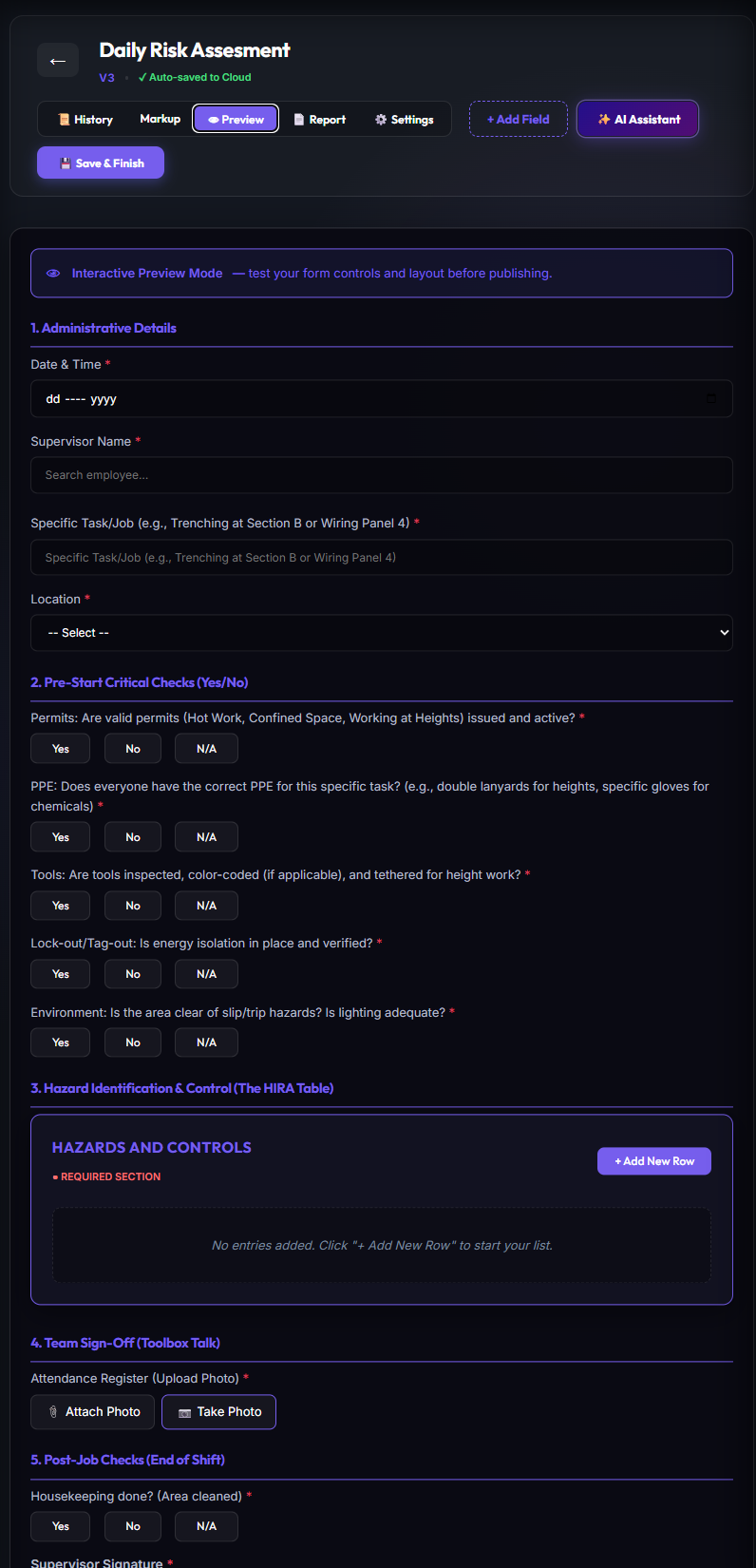
Pre-Publication Test Sandbox
The **Live Preview Sandbox** allows creators to thoroughly test validation limits, voice summarizing features, and formatting behavior before publishing templates live.
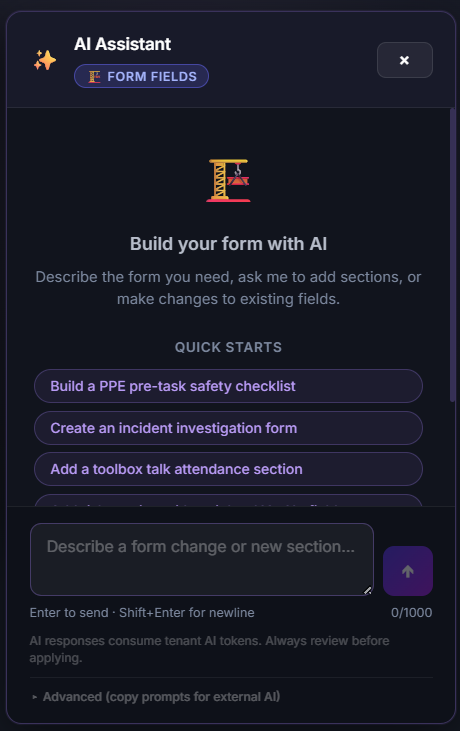
AI Paper-to-Digital Ingestion & Field Assistant
OmniSafe features an advanced AI Form Builder. Simply snap a photograph or upload a PDF of an existing paper checklist, vehicle pre-trip log, or inspection form. The multimodal AI extracts each question, determines optimal field types (pass/fail toggles, date pickers, required photos, tabular repeater rows), pre-configures validation regex (such as South African 13-digit IDs or vehicle registration numbers), and constructs an editable digital form ready for immediate field capture.
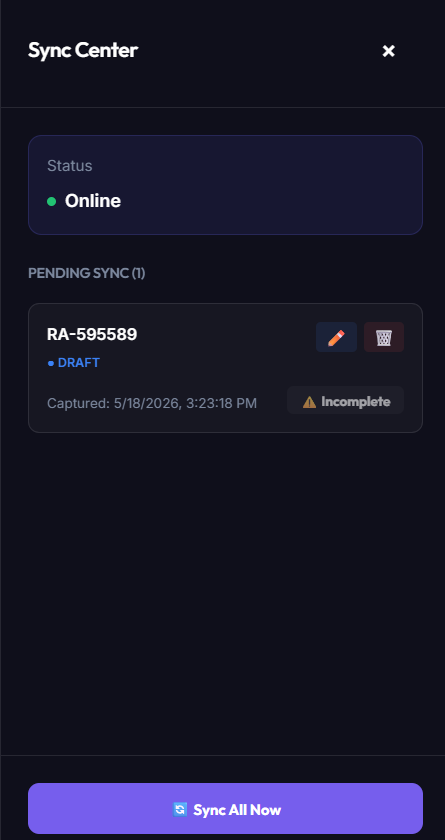
Module 10: Offline Sync Centre & Submission Audits
Field blocks and remote workshops often lack stable cellular connectivity. OmniSafe uses a local **Offline Sync Centre** to manage local drafts in IndexedDB until a network connection is detected, ensuring data integrity.
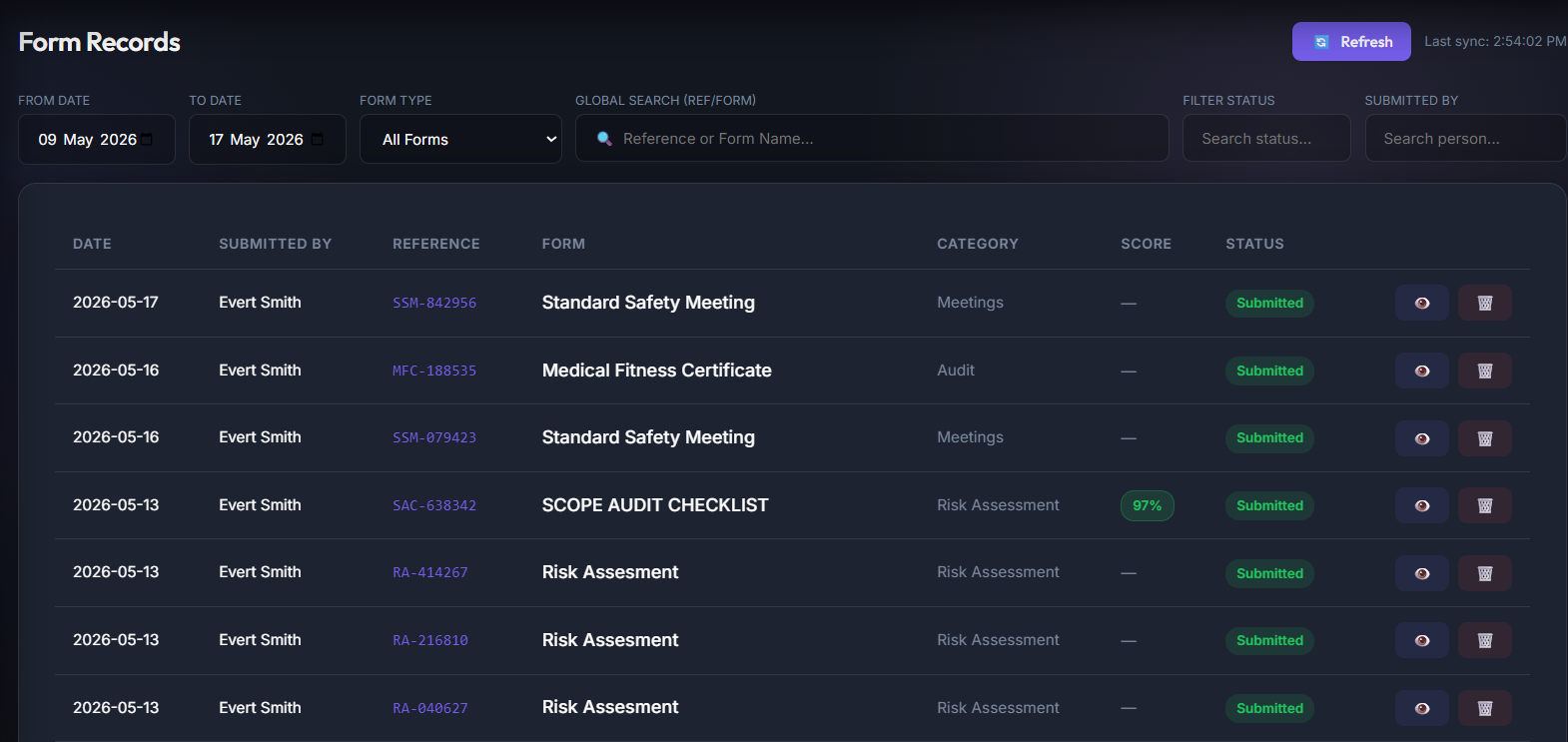
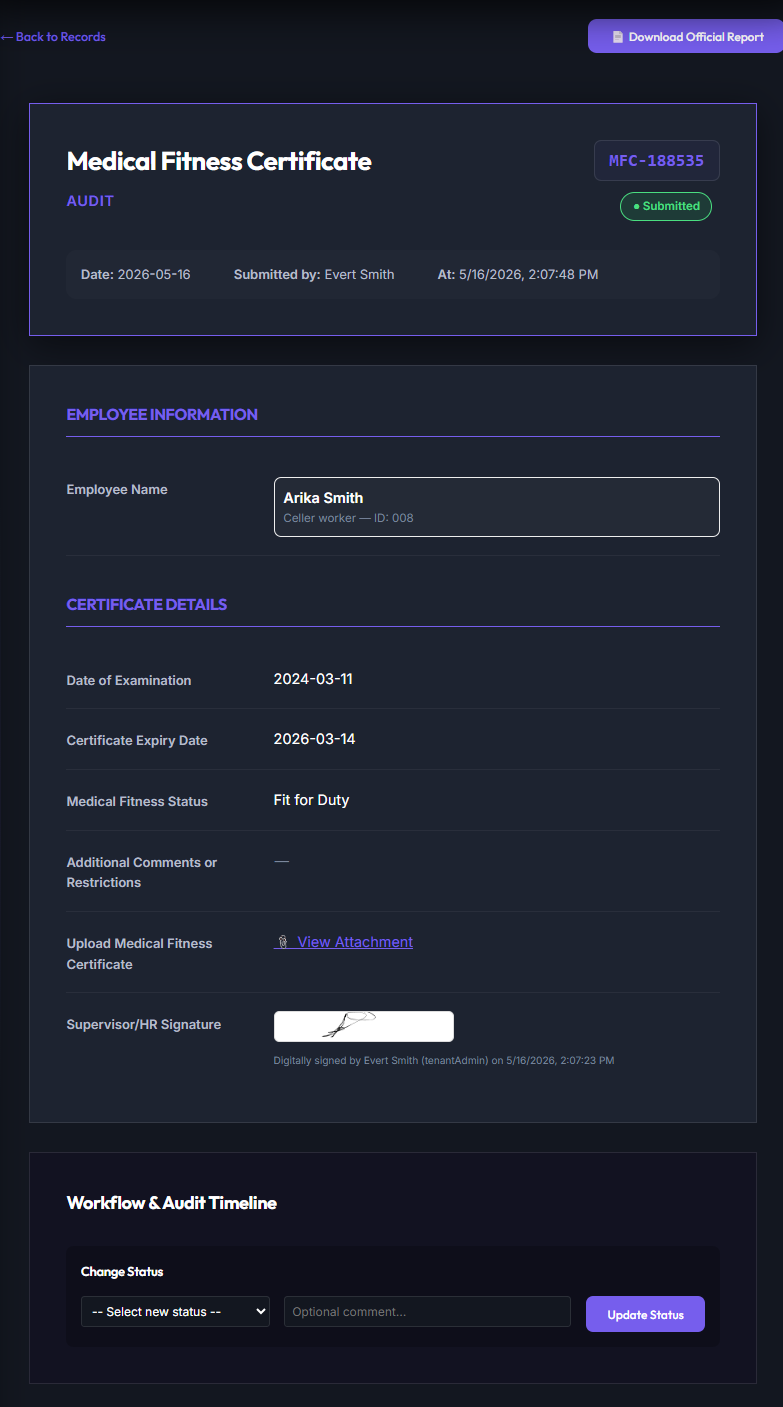
Submitted Form Detailed Audit View
Selecting a submitted checklist displays the **Detailed Audit View**. This panel presents the raw transactional log, validation checkpoints, uploaded media files, and digital signature records.
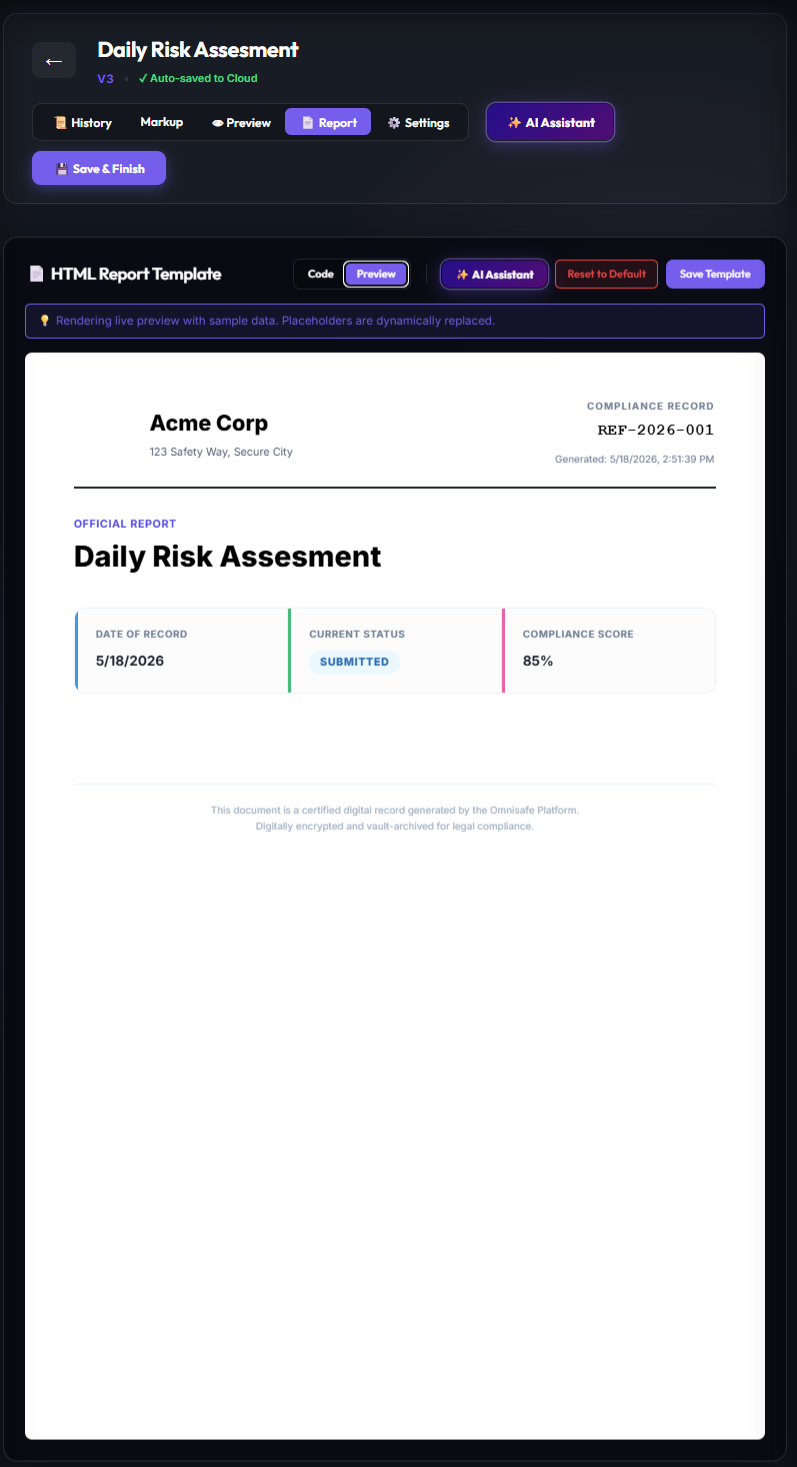
PDF Report Template Designer
Administrators can format PDF export templates to meet corporate styling guidelines. You can define exact A4 portrait margins, add header logos, place dynamic data tables, and configure signature blocks.
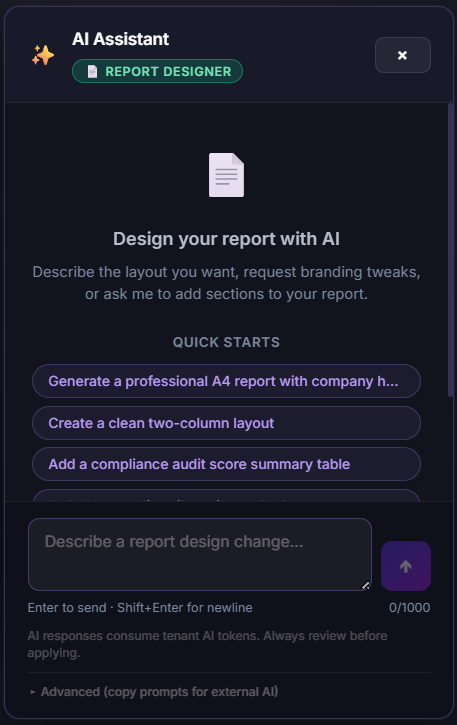
The integrated **AI Report Assistant** automates the formatting process, allowing administrators to prompt the builder to structure double-column margins, apply company logo themes, and dynamically map table columns.
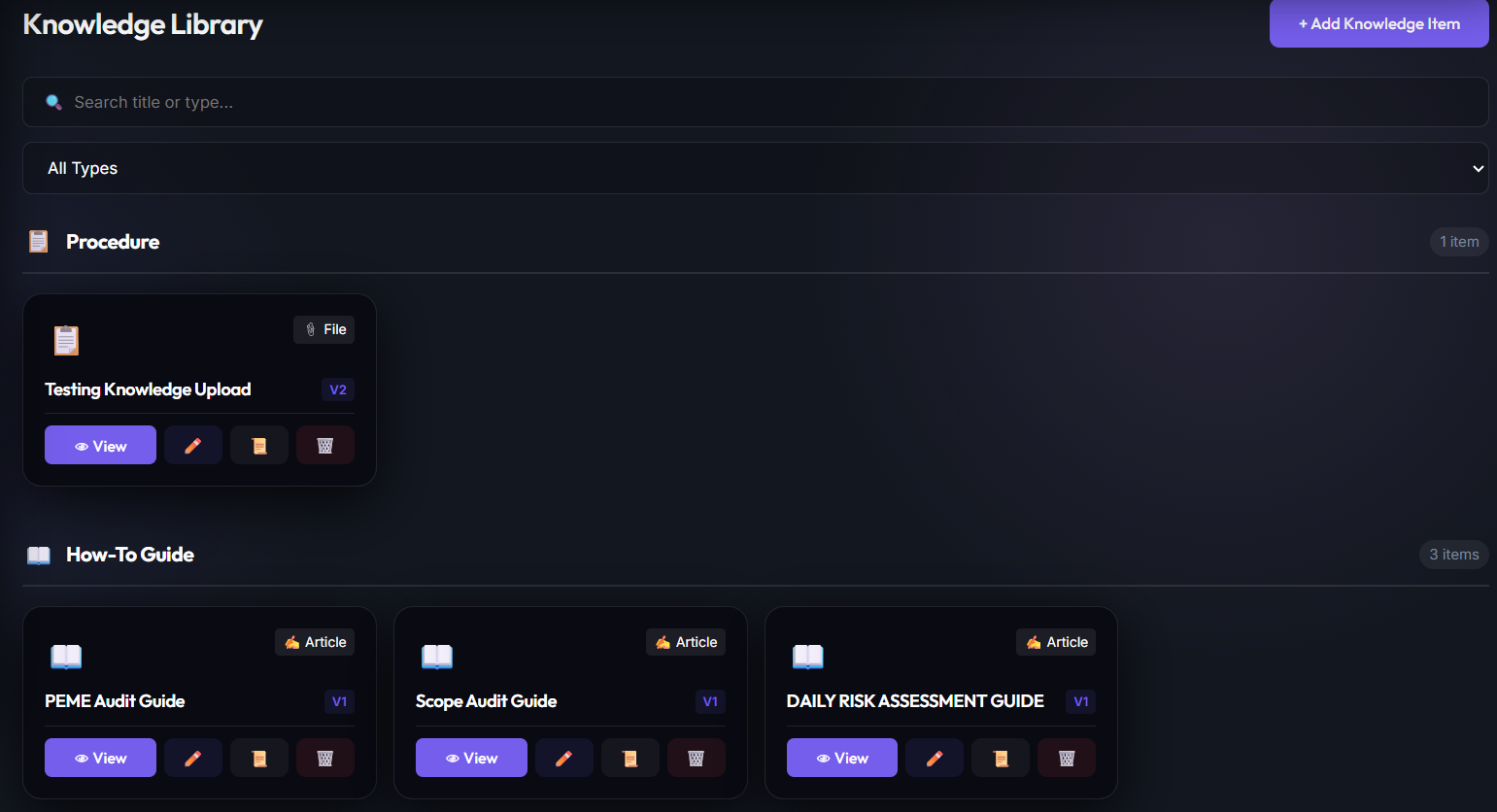
Module 11: Policies & SOP Knowledge Base
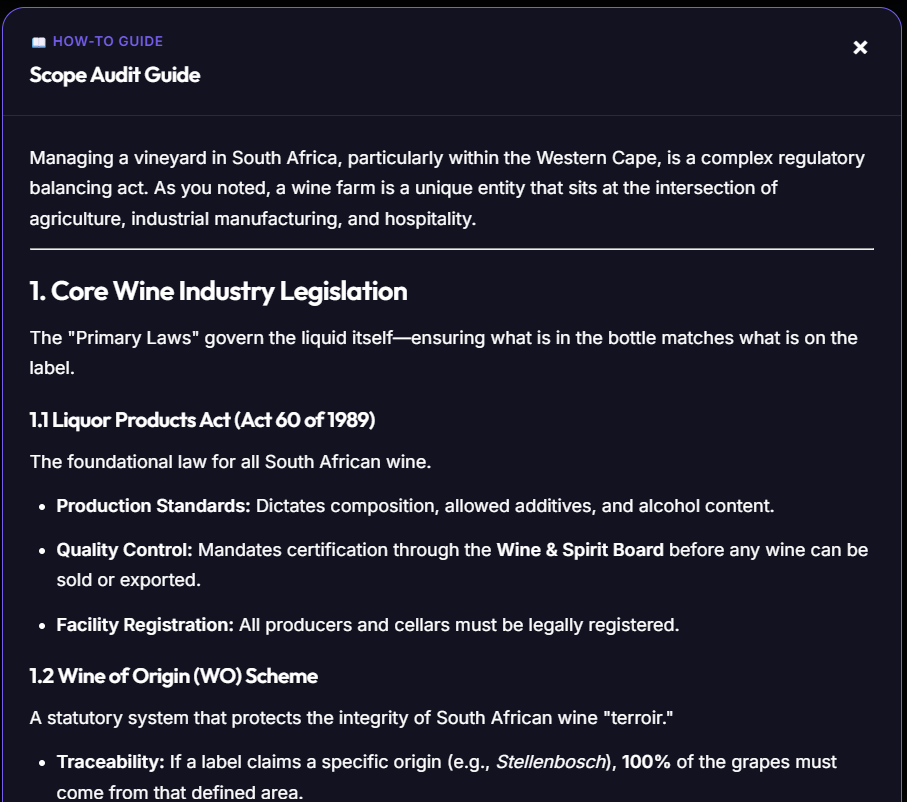
The Knowledge Library houses standard operating procedures (SOPs), safety policies, emergency protocols, and regulatory references, linking them to daily on-site safety assessments.
Global Policies, Procedures, Work Instructions etc. Library
This module displays structural induction packets, chemical safety handbooks, first-aid workflows, and legal policy updates.
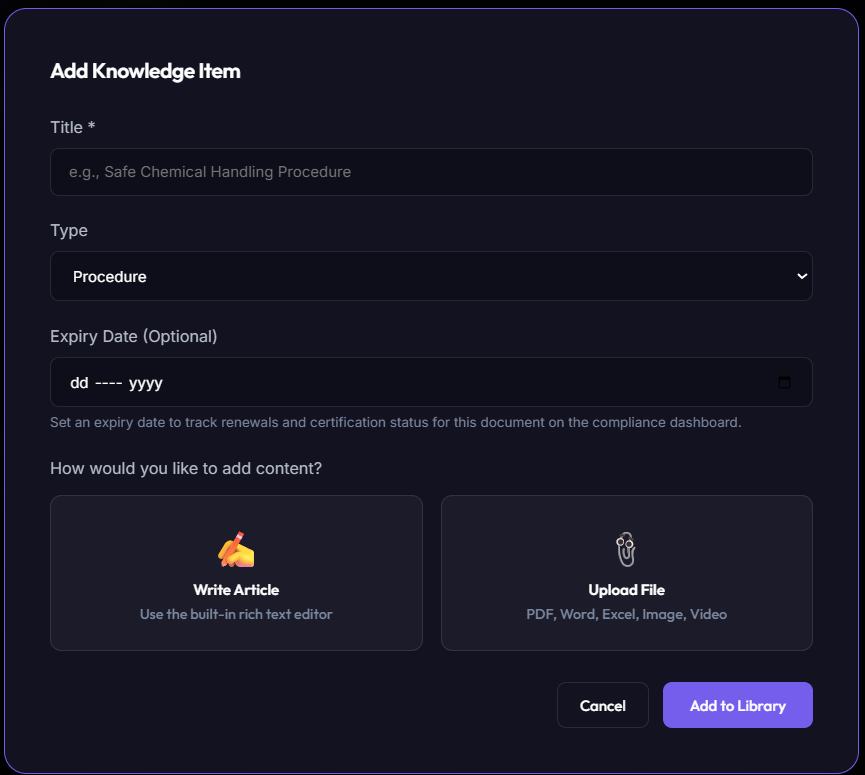
SOP Entry Editor
Safety officers enter corporate SOPs using this interface. They can add compliance references, upload PDF copies, and assign mandatory re-induction schedules.
Module 12: Voice AI Transcriptions & Meeting Notes
OmniSafe includes a **Voice AI Notes** system. This feature converts meeting discussions or field observations into summarizations, actionable checklists, and task registers based on standard compliance prompts.
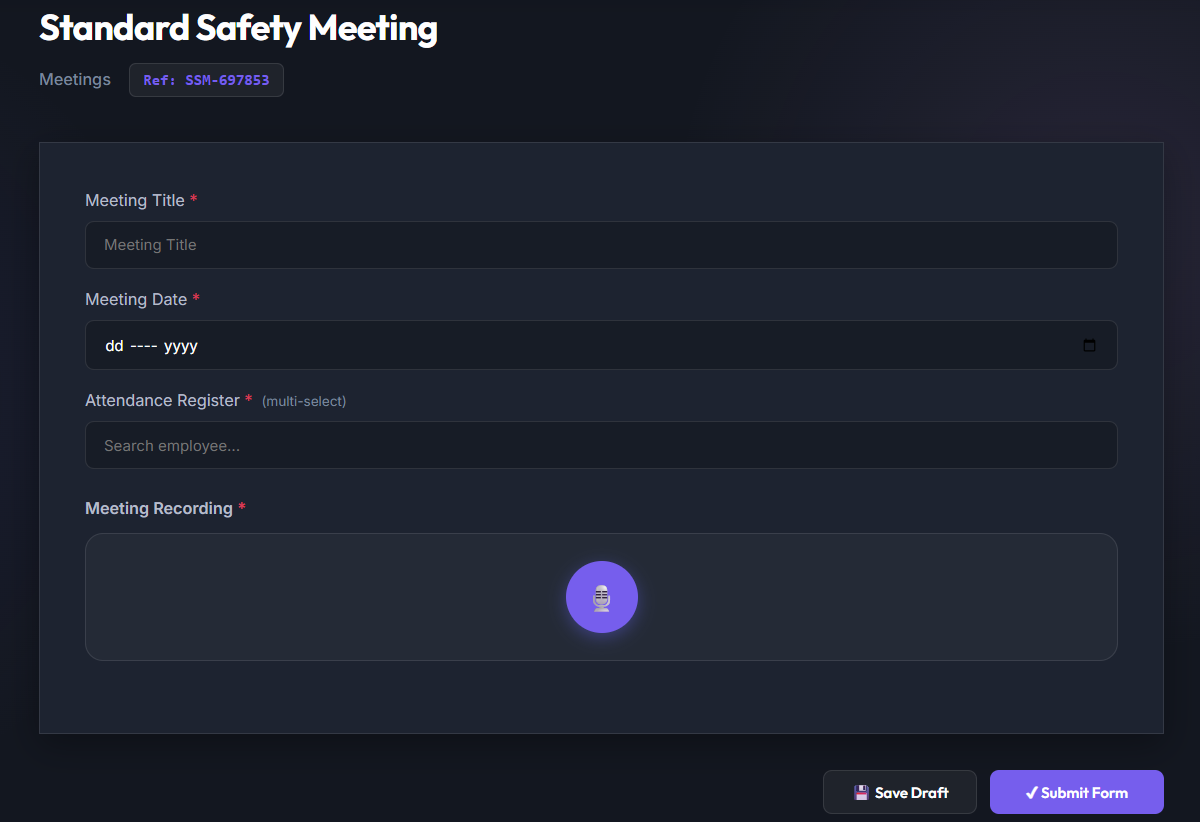
Recording Compliance Meetings
Supervisors record toolboxes or daily updates directly in the app. The system streams audio to our secure cloud transcription services.
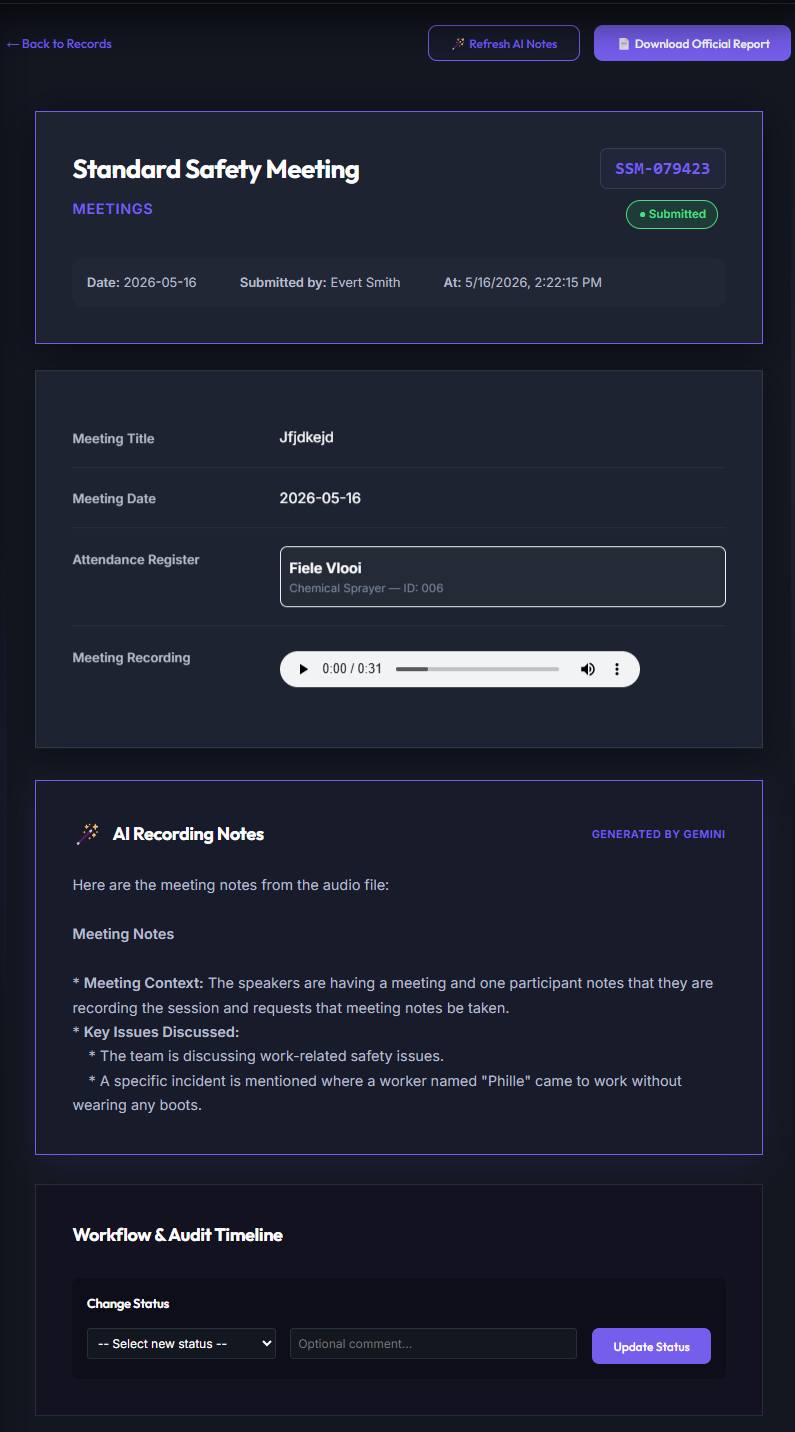
AI-Generated Summaries & Task Registers
Our AI engine analyzes the transcription to generate summaries, action items, assignees, and target dates in the workspace.
Module 13: OmniAudit AI™ — Automated AI & Hybrid Compliance Auditing
OmniAudit AI™ is the federated auditing brain of the OmniShield™ Corporate Supervisor Portal. It automates contractor safety file compliance verification across multi-tenant environments. By combining low-cost deterministic database checks with advanced multimodal Generative AI audits (via Vertex AI Gemini 1.5 Flash), the system optimizes speed, security, and computational budgets.
Safety File & Rules Manager
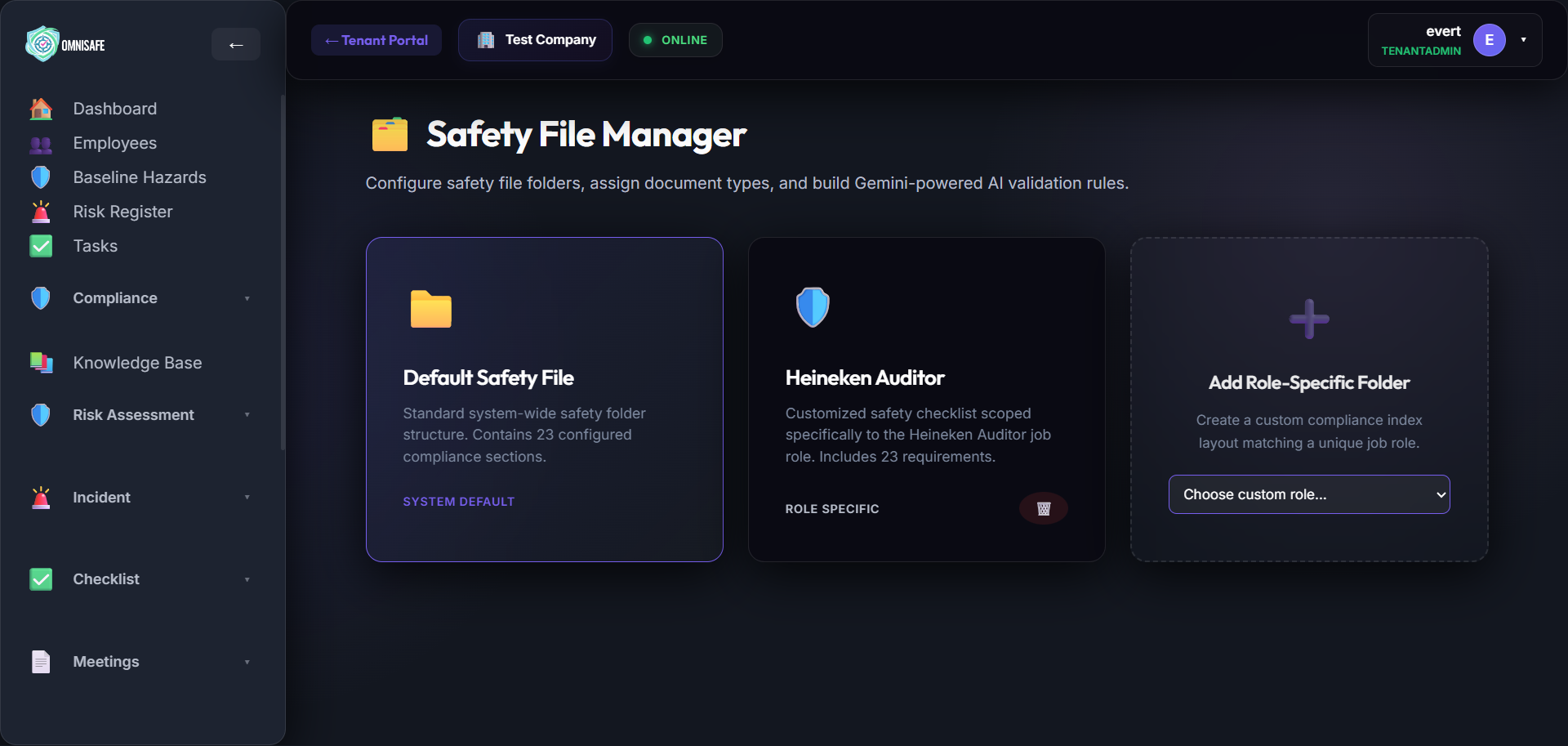
The Safety File Manager combines the index builder, document uploads, and granular audit configurations into a single, cohesive workspace. Safety reps can map rule pipelines directly onto individual index slots. Badges indicate active rules (e.g., green shields for configured rules, gray outlines for none). Smart type-restrictions optimize audit pipeline execution by matching specific checks (e.g., temporal checks for checklists, OCR/completeness checks for employee docs).
Audit Scheduler & Task Sync
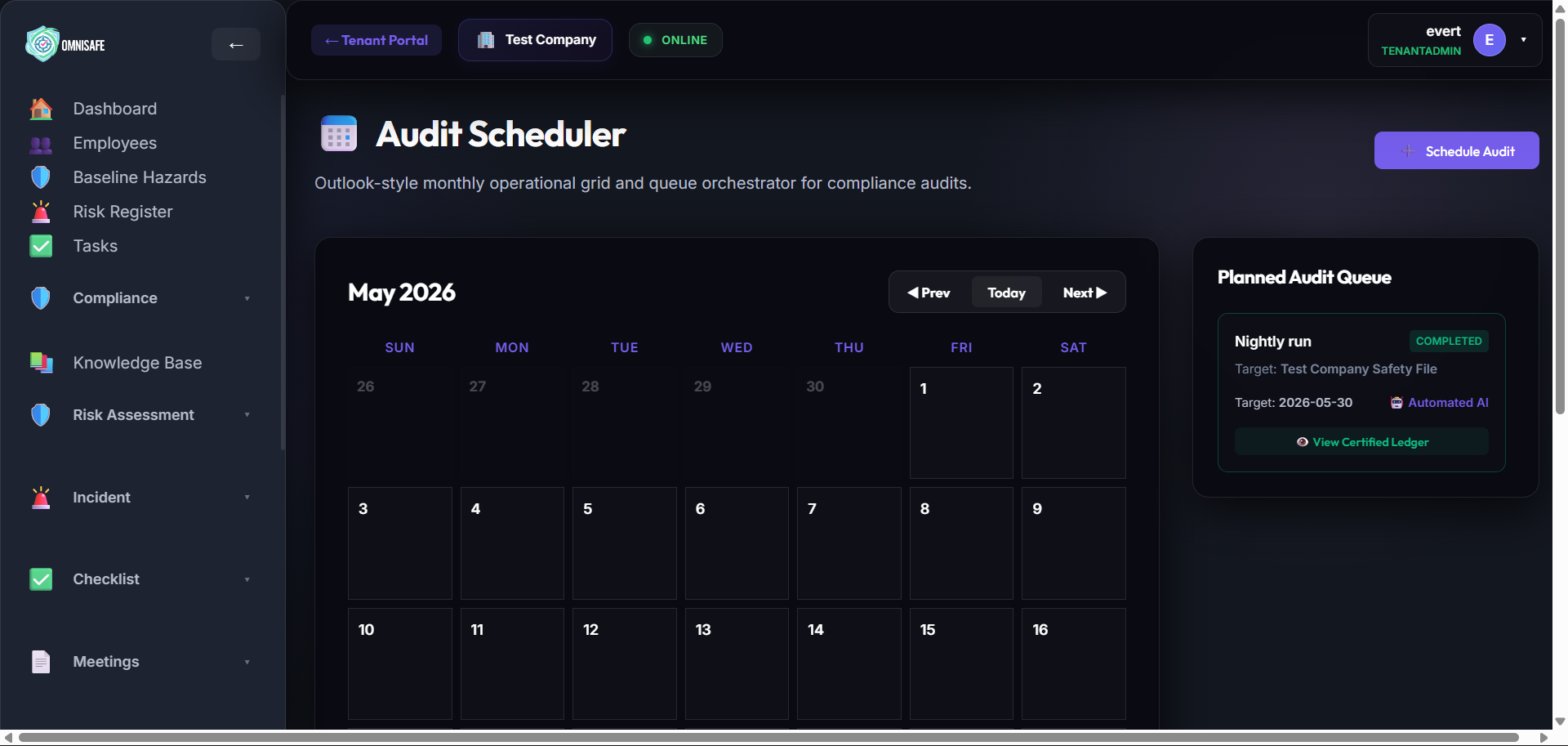
The Audit Scheduler provides an Outlook-style weekly/monthly calendar to plan automated sweeps and manual compliance tasks. Creating a manual audit generates a matching task in the Tasks system. Once workers complete the task, a Firestore trigger syncs the completion state, compiles an Audit Record with supervisor signatures, and archives legacy records to prevent legacy files from being audited repeatedly.
Compliance Ledger & Audit Records
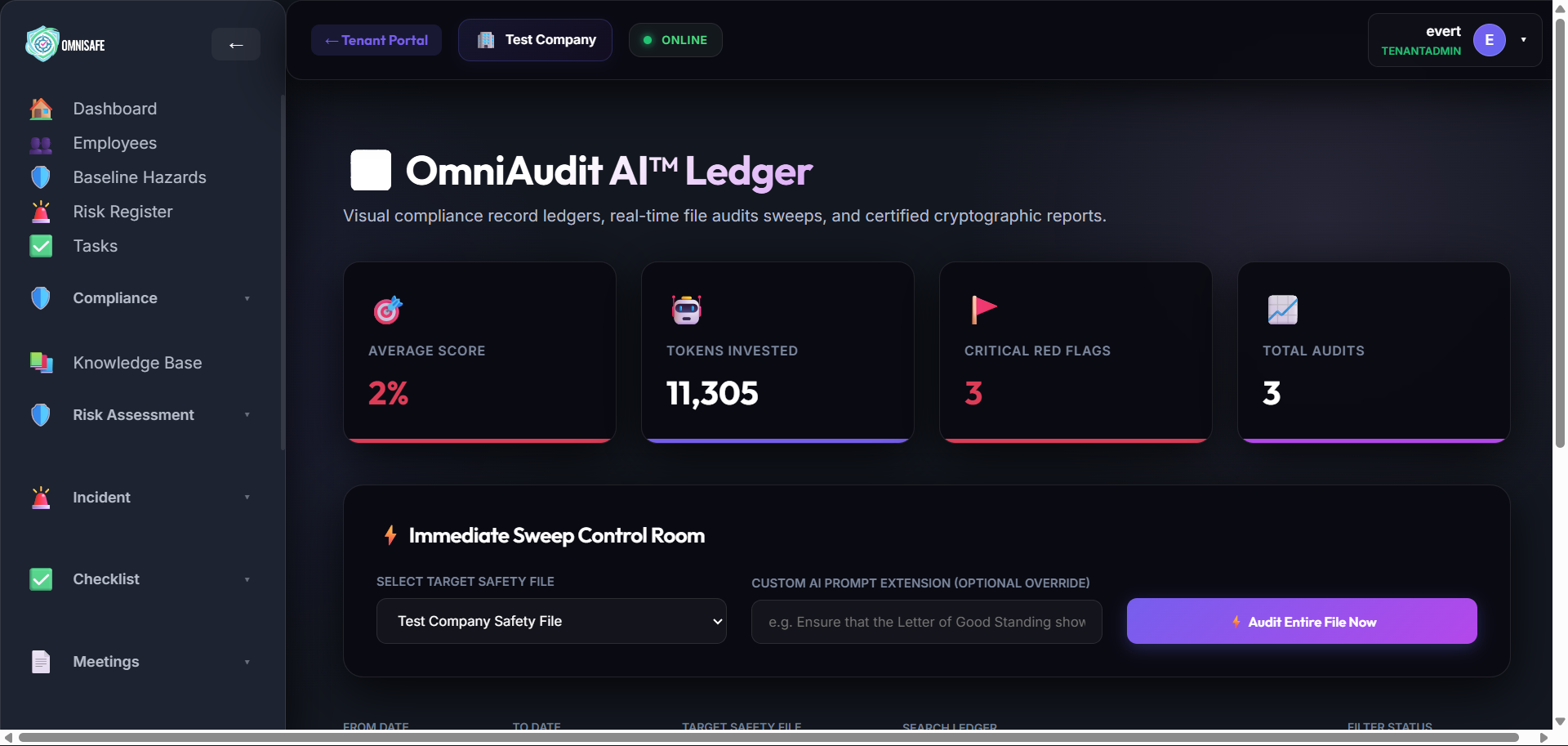
The Audit Records dashboard compiles historical execution outcomes, featuring average rating scorecards, active warning/red flag logs, audit execution telemetry, and printable A4 PDF summaries. PDF reports feature a server-certified SHA-256 fingerprint hash (preventing tampering) and utilize smart validation caches.
Federated Compliance & Cascades
Through OmniSafe Link™, parent corporate tenants define standardized index templates that link/align with contractor workspaces. Rule evaluation follows a strict cascading hierarchy:
1. Contractor-Specific Section Overrides (in corporate space) → 2. Corporate Default Configurations → 3. Contractor's Local Rules.
When scheduled/triggered by a corporate supervisor, cloud processing and storage allocations route automatically to the corporate tenant's account, protecting standard contractors from financial penalty.
hourlyAuditSchedulerOrchestrator) enqueues pending schedules into a global queue, and isolated workers (processAuditQueueItem) process them individually. Automatic queue throttling prevents upstream API rate limits by pacing background audit tasks smoothly.
The Hybrid Audit Matrix: 17 Core Engines
The engine employs a hybrid execution routing system. Simple database and metadata checks are performed algorithmically with instant rule evaluation, while visual checks and semantic understanding are handled by multimodal GenAI.
| Category | Audit Type | Core Execution Model | Compute Cost | Safety & Business Objective |
|---|---|---|---|---|
| I. Deterministic Algorithmic Audits (Instant Rule Engine) | ||||
| Algorithmic | Presence Check | Document Exist Query | Free | Verifies a file exists in the target slot. Skips archived files. |
| Algorithmic | Expiry Scan | Date metadata vs. Epoch | Free | Flags expired credentials (e.g. Letter of Good Standing). |
| Algorithmic | Multi-File Completeness | Structural index count | Free | Ensures a package of files is completely uploaded in complex index slots. |
| Algorithmic | Signature Tag Check | Database field search | Free | Confirms existence of digital signatures on native app form submissions. |
| II. Statistical & Sampling Audits | ||||
| Statistical | Random N-Sampling | Fisher-Yates selector + scan | Low | Audits a random subset of files (e.g. 5) to draw representative scores. |
| Statistical | Risk-Tiered Sampling | Outlier filter + 100% check | Low | Performs 100% auditing on high-risk nodes (e.g. failed forms) and samples others. |
| Statistical | Temporal Completeness | Daily calendar record audit | Low | Verifies cadence requirements (e.g. daily toolbox talk submitted on all active days). |
| III. Cognitive Multimodal AI Audits (Vertex AI GenAI) | ||||
| Cognitive AI | Seal & Stamp Check | Gemini Visual OCR | High (AI) | Detects official commissioner of oaths stamps or municipal crests. |
| Cognitive AI | ID Reconciliation | Gemini OCR + Entity Match | High (AI) | Ensures credentials belong to the correct profile employee (prevents fraud). |
| Cognitive AI | Semantic Scope Match | Gemini Semantic Proximity | High (AI) | Checks if welding method statement matches high-level weld risk scope. |
| Cognitive AI | Ink Signature Audit | Gemini Handwriting Detection | High (AI) | Detects missing signatures on scanned paper attendance rosters. |
| Cognitive AI | Template Struct Audit | Gemini Schema Validation | High (AI) | Confirms uploaded files strictly follow legal formatting structures (e.g. Annexure 3). |
| Cognitive AI | Fraud Detection | Gemini Tampering Analysis | High (AI) | Visually and structurally analyzes documents to detect digital tampering, forgery, white-outs, or font mismatches. |
| Cognitive AI | Expiry Reconciliation | Gemini OCR + Metadata Match | High (AI) | Reconciles the physical expiry date printed on the document with database metadata (fails if mismatched or missing). |
| IV. Relational Cross-Referencing Audits | ||||
| Relational | Role-to-Training Sync | Multi-collection join query | Free | Blocks workers from task assignment if role-required qualifications are missing. |
| Relational | Risk-to-Plan Alignment | Risk registry vs. index slots | Free | Checks if active mitigation plans exist for all site-registered high priority hazards. |
| Relational | Employee Completeness | 100% Active employee audit | Free | Verifies that 100% of currently active staff possess non-expired, valid credentials. |
Module 14: WeatherGuard™ Severe Weather & Lightning Shield
WeatherGuard™ is OmniSafe's automated severe weather defense and statutory duty-of-care automation system. Built for construction sites, open-cast mines, agricultural operations, and remote industrial plants across South Africa, WeatherGuard™ transforms static safety policies into active, real-time tripwires. Instead of relying on manual observation, the system continuously tracks atmospheric conditions, radar storm cells, and lightning discharges, triggering automated evacuation workflows and compiling an immutable audit log.
14.1 SANS 10313:2012 Severe Lightning Shield
In strict compliance with SANS 10313:2012 (Protection against lightning – Physical damage to structures and life hazard), WeatherGuard™ enforces an automated 2-tier geofence perimeter around each registered project site:
- Red Alert Emergency Zone (15.0 km radius): The statutory strike perimeter. Any cloud-to-ground lightning discharge inside this zone triggers an immediate Cease Work & Seek Shelter emergency state.
- Advisory Watch Zone (30.0 km radius): Early warning perimeter that alerts safety supervisors and tower crane operators of approaching storm convective cells.
- Statutory 30-Minute Cooldown: Following the last strike detected inside the 15 km zone, WeatherGuard™ begins an automated 30-minute all-clear countdown. Every subsequent strike resets the clock to 30 minutes, preventing premature return to hazardous open areas.
- Thermodynamic Pre-Flight Shield: An intelligent CAPE index pre-check (Convective Available Potential Energy > 500 J/kg) prevents redundant external satellite queries on calm, clear days.
14.2 High-Wind Crane Stop & Environmental Tripwires
Beyond lightning, WeatherGuard™ monitors extreme microclimate variables, enforcing statutory equipment thresholds defined by the Driven Machinery Regulations (DMR 18) and SANS 10160:
- Tower Crane Lift Stop (38.0 km/h / 10.5 m/s): Statutory tripwire that flags mandatory cessation of tower crane lifts and suspended cradle operations.
- Severe Scaffolding Gusts (50.0 km/h): Automatic evacuation alert for scaffolding, roof work, and high-elevation working-at-height zones.
- Flash Flood & Trench Evacuation (25.0 mm/hr): Torrential rain warning instructing immediate evacuation of trenches, basements, and low-lying civil excavations.
- ISO 7243 WBGT Heat Stress (31.0°C): Wet Bulb Globe Temperature alerts mandating 15-minute shaded hydration breaks per hour to prevent heat stroke.
14.3 Automated WhatsApp Evacuation & Interactive Headcount
When a red alert is triggered, WeatherGuard™ instantly broadcasts emergency push notifications and Meta-verified WhatsApp messages to all on-site supervisors, crane operators, and field teams.
Each alert message includes an interactive quick-reply button: [🏃 Sheltered & Safe]. As workers tap this button, the central executive dashboard updates in real time, displaying a live headcount progress bar. Supervisors instantly see who has reached safety and pinpoint anyone still unaccounted for, without requiring radio congestion or manual roll-calls.
14.4 Tamper-Proof SHA-256 Incident Black Box
In the event of a severe weather occurrence, fatal incident investigation, or insurance dispute, corporate liability hinges on proving exact duty-of-care actions.
WeatherGuard™ incorporates a Tamper-Proof Incident Black Box. Every atmospheric sensor reading, automated warning dispatch, WhatsApp delivery receipt, worker headcount acknowledgment, and supervisor override is cryptographically sealed with a server-certified SHA-256 hash.
The resulting A4 incident audit report provides undisputed forensic evidence for Department of Employment and Labour (DoEL) inspectors, compensation commissioners, and insurance underwriters, proving that statutory evacuation orders were issued without delay.
Tenant Settings → Sites with interactive map geofences. WeatherGuard™ is licensed per operational site at R1,000 / site / month, covering continuous satellite monitoring, automated WhatsApp alerts, and forensic black box logging.
Role-Specific User Journeys
OmniSafe uses robust, role-based authorization rules to ensure compliance data isolation. Below is the interactive mapping of operational user roles, expected permissions, and standard workflows.
The master bootstrapping role with administrative ownership over the entire tenant workspace directory. Responsible for general configuration and legal isolation setup.
Core Daily Journey:
- Tenant Setup: Creates the workspace and configures sector properties, storage folders, and region properties.
- Roster Maintenance: Invites employees to join the tenant, assigning dedicated operational roles (Safety Officer, Site Supervisor).
- Master Seeding: Enters the first batch of Hazards in the Risk Library and populates the employee ledger with correct numbers.
- Audit Oversight: Oversees records across all modules, correcting formatting issues or removing invalid duplicate entries.
Oversees daily operational efficiency, equipment checklist compliances, hazard occurrences, block safety metrics, and employee rosters.
Core Daily Journey:
- Status Check: Reviews workspace KPIs, monitoring checklist completion and unresolved safety complaints.
- Attendance: Logs team attendance on-site, syncing records with individual employee databases.
- Risk Assessment: Reviews the risk matrix before assigning heavy machinery operators to complex tasks.
- Leave Administration: Reviews and approves employee leave applications, assigning proxy supervisors.
Responsible for daily on-site safety assessments, hazard mitigations, incident logs, corrective actions, and first-aid compliance.
Core Daily Journey:
- Safety Audits: Conducts daily physical conditions checklists and equipment OHS inspections.
- Incident Investigations: Files records for any accidents, near misses, or active hazards reported on site.
- Action Tracking: Allocates corrective procedures to site supervisors, monitoring compliance until resolution.
- Risk Development: Builds templates in the Hazard Library, mapping residual severity risks for company reference.
Manages employees personal files, competency indices, qualifications certificates, medical clearances, and regulatory training matrices.
Core Daily Journey:
- Employee Registration: Keeps employee database files current (occupations, IDs, personal records).
- Training Audits: Enters completed first aid, hazardous chemical licensing, and forklift competency certifications.
- Medical Tracking: Audits annual physical examinations, flagging upcoming expirations inside specific safety vaults.
Maintains operational audit alignment, global company files, tax standing records, SARS certifications, and liability document uploads.
Core Daily Journey:
- Vault Organization: Uploads fresh SARS, public liability, and tax status certificates into corporate storage.
- Audit Preparations: Exports historical checklist sheets and signatures as auditor compliance evidence packs.
- SOP Checks: Links newly issued government safety mandates directly into the static Knowledge Library.
Global SaaS platform superuser. Operates outside individual tenant contexts, managing the general system framework, support tickets, and performance.
Core Daily Journey:
- SaaS Status: Monitors global server structures, Data Connect queries, and storage usages.
- Tenant Onboarding: Bootstraps complex multi-company registrations, managing database boundaries.
- Support Interventions: Evaluates storage allocations, metadata corruption issues, and query failures.
- Data Operations: Reviews general platform statistics, confirming all transactional data routes through SQL Connect.
Section 15: SaaS Onboarding, Billing & Live Testing Sandbox
To validate the live application, review system behavior, or conduct compliance smoke tests, evaluators can connect directly to the active web instance using the verified testing credentials below.
Active Application Endpoints
- Local Dev Server: http://localhost:5173/
- Live Cloud Staging: https://qhse-live-10293.web.app
- Firebase Emulators: http://127.0.0.1:4000/
Live Testing Credentials
- Username / Email:
info@omnisafe-risk.co.za - Password:
Stsadmin01!@#$ - Role Permissions: Full Compliance Officer, Tenant Admin & App Admin Access
Guided 7-Step Live Testing Walkthrough
Sign In & Multi-Tenant Workspace Hub
Browse to http://localhost:5173/ and log in with the testing credentials. Upon sign-in, you enter TenantHub. Review the statutory POPIA Auditor Declaration gate and observe the multi-tenant directory. You can switch between corporate parent accounts and contractor sub-workspaces via the top-left Building icon (🏢).
Executive SHEQ Dashboard & Weather Badges
Access the main Dashboard. Review real-time safety KPIs, open tasks, active incident counts, and the live WeatherGuard™ status banner displaying current environmental safety states across active sites.
Living Safety File Manager (32 Statutory Sections)
Navigate to /compliance/safety-file. Inspect the statutory 32-section safety file index structured around South Africa's OHS Act 85/1993 and Construction Regs 2014. Review live completeness scoring (0–100%) and verify how missing or expired documents immediately trigger visual warning flags.
AI Form Builder & Paper-to-Digital Ingestion
Open /checklists/builder. Test the AI Form Builder by uploading or photographing a paper inspection sheet. The multimodal AI will extract the questions, map the controls (pass/fail toggles, date pickers, signatures, photo requirements), and generate a fully interactive digital form in seconds.
100% Offline Field Auditing & Sync Outbox
Simulate field conditions by toggling your browser to Offline in Developer Tools (Network tab). Fill out and submit an inspection form with photos and a digital signature. Notice how the form saves instantly to local Dexie.js (IndexedDB) with zero lag, and an orange pulsing Outbox Badge appears on the top navigation bar. Re-enable network connectivity to observe automatic background synchronization.
WeatherGuard™ Sentry & Strike Simulation
Navigate to Tenant Settings → Sites. Inspect site perimeters on the interactive Leaflet map (15 km Red Alert & 30 km Watch zones). Test the built-in strike simulation mode to observe real-time emergency banners and verified WhatsApp evacuation dispatches with interactive [🏃 Sheltered & Safe] headcount confirmations.
Contractor Federation (OmniLink™) & Magic Sign™
Navigate to /contractor-management to view corporate contractor vendor cards, RAG risk ratings, and test issuing a temporary 24-hour ephemeral auditor guest pass. Test generating a Magic Sign™ remote cryptographic link to collect external sign-offs without requiring recipient user accounts.
SaaS Subscription Architecture & Centralized Pricing
OmniSafe incorporates a centralized pricing engine and billing ledger to manage subscriber entitlements automatically. Pricing is managed dynamically in Cloud Firestore (/billingConfig/pricing) and synchronized across the frontend, guaranteeing complete consistency without hardcoded figures.
Synchronized User Tiers & Economics
Subscriber plans are billed on transparent, monthly per-seat licenses tailored to frontline operational hierarchy:
- Compliance Admin: R1,000 / user / month — Full management of safety files, legal appointments, form creation, risk registry, and statutory audits.
- Site Supervisor: R750 / user / month — Daily inspections, task allocations, contractor sign-offs, and incident reports.
- Field Worker: R500 / user / month — Mobile offline checklist submission, photo capture, and tool inspections.
- WeatherGuard™ Site License: R1,000 / site / month — Automated SANS 10313:2012 15 km lightning shield, DMR 18 wind tripwires, unlimited WhatsApp emergency broadcasts, and SHA-256 black box logging.
- Guest Auditor: R0 / month (Free) — Unmetered read-only access for external client and government inspectors with POPIA privacy masking.
The R1,000 Starter Model
Get started with just a single admin seat: Unlike legacy enterprise QHSE software requiring high annual minimums or complex multi-seat commitments, OmniSafe allows any business to launch with a single R1,000 / month Compliance Admin license.
That single license unlocks 100% of all core platform modules, the AI Form Builder, living safety files, and risk management. Companies can begin immediately and scale seats for supervisors, field staff, or additional project sites at their own pace.
Paystack Regional Payment Gateway
Transactions are secured through certified Paystack integration for South African credit card and Instant EFT processing. Upon transaction completion, an isolated Cloud Function (functions-core/src/webhooks.ts) processes transaction tokens, validates cryptographic payloads, activates license allocations, and generates downloadable VAT-compliant PDF invoices.
Multi-Tenant Security & Isolation
Entitlements are strictly isolated across database, storage, and client levels. Firebase custom claims govern access. Firestore security rules (firestore.rules) verify the active tenant claim matching the resource path, and Firebase Data Connect PostgreSQL tables enforce dynamic row-level tenant keys to prevent cross-tenant data leakage.